Task family

Egocentric Grocery Bagging and Checkout Task Data

Scanning items, taking payment and bagging goods by weight, fragility or type, captured first-person against a spec you write: the handling and the order of steps that a checkout policy has to learn.
Streams
Ten, synced under 2 ms
First batch
Median 48 h
Billing
Per validated hour
License
Buyer-owned
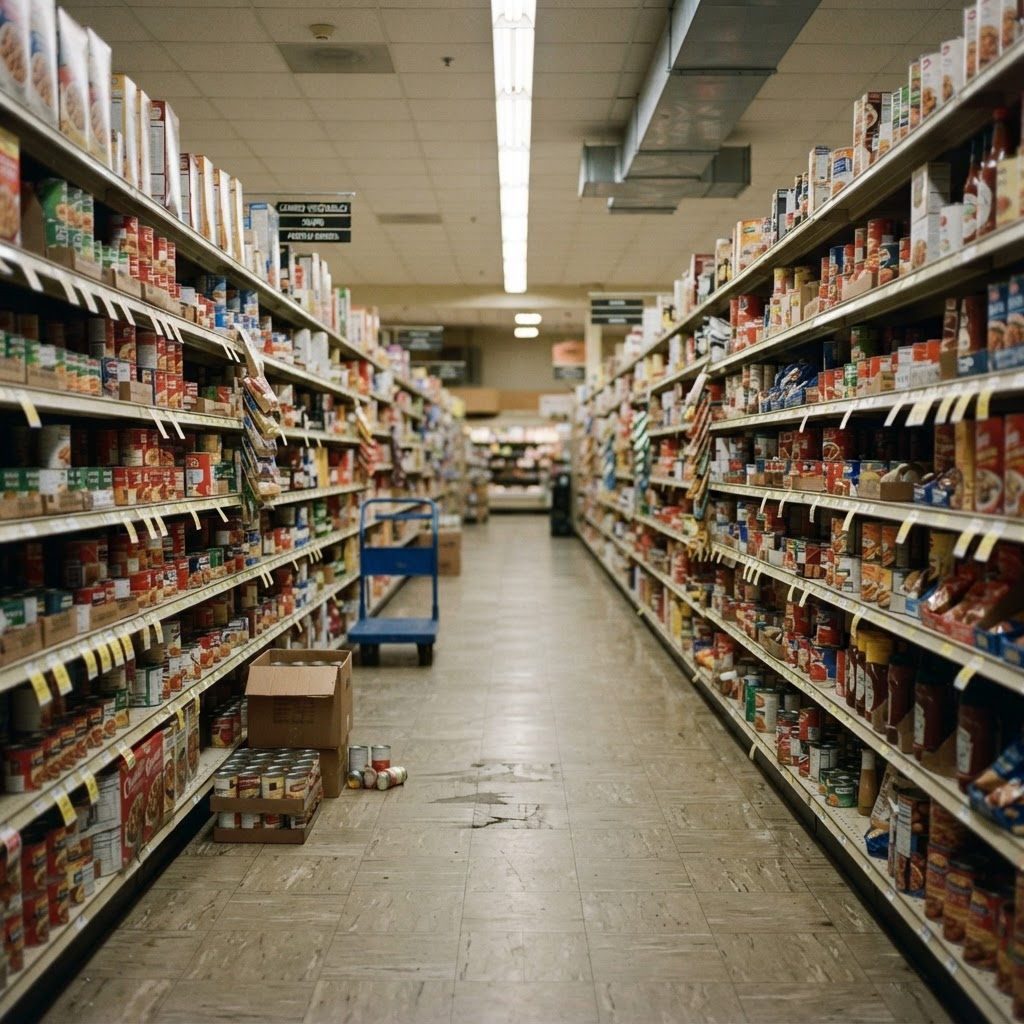
A grocery store shelf aisle with stocked shelves and a part-emptied case on the floor
Checkout and bagging are the front-of-house side of retail: scan, judge the item, place it in the bag and hand it over.

Requirements

What does bagging and checkout data need?

01

A named list of checkout and bagging tasks

Scanning and bagging, bagging by weight and fragility, bagging by type, handling payments and returns at the register, and counter service are different sequences. A spec names each one rather than relying on one generic checkout label.

02

The item, the hand and the bag in frame

A head-mounted view keeps the item, the hand and the open bag in sight from the scan to the placement, so the video shows what the operator could see when each decision about the load was made.

03

Hand pose through the grasp, the placement and the handoff

3D hand pose with a visibility flag per joint carries the handling detail that RGB video alone cannot resolve, including a hand reaching into a bag or holding it open while another item is placed.

04

Step boundaries on one clock

Contact events and frame-accurate action segments mark where an item is scanned, where it is placed and where the bag is handed over, aligned to video and depth on one hardware clock.

05

Rights you can ship on

A perpetual, buyer-owned commercial license backed by a documented consent chain, so a policy trained on the data can go into a product.

Why it matters

Why train robots on first-person bagging video?

Checkout is a short loop that repeats all day. An item arrives, it is scanned, it is judged by weight and fragility, and it goes into a bag in an order that keeps the load sound. Then the bag is handed over. The task catalog states this work directly. Its grocery row, Checkout and bagging, reads: "Scan items, take payment, bag groceries by weight and hand them to the customer." A separate row, Bag groceries, adds fragility: "Bag groceries by weight and fragility."

A first-person camera records that loop from the viewpoint a robot or an assistive system would act from, so the video shows what could be seen when the choice of position in the bag was made: the item in hand, the open bag and the items already placed. Hand pose and contact events record the handling, and action segments mark where each step starts and ends. A manipulation policy can learn from this evidence without any robot being involved in the capture.

It helps to be exact about what the data is. It records a person doing checkout and bagging: the views, the handling and the order of steps. Item identity, bag-fill, fragile-item and scanner labels are not stated on the site, so this page does not promise them.

Scope

How is bagging and checkout different from shelf restocking, packing and kitting, and sorting?

Retail robotics data on this site covers shelf stocking, facing, restocking and picking: the work of getting product onto the shelf before a customer arrives. Bagging and checkout sit on the other side of the transaction, where product leaves the shelf and goes home with someone. This page is about that front-of-house side.

Packing and kitting data covers packing cartons, bagging and wrapping items, sealing and labeling, and building kits from parts, and it lists bagging groceries by weight and fragility as one small-scale packing row. This page treats checkout as a task family in its own right, with scanning, payment and handoff alongside the bagging, organised around the counter rather than a pack bench.

Sorting data is organised around assigning each item to one of several destinations. Bagging has a destination too, the bag, but the decision that matters is how the load is arranged. Where a row says to bag by type, the sorting page is the nearer reference. Pick-and-place data covers the primitive that bagging is built from.

Tasks

Which bagging and checkout tasks can be captured?

The task catalog lists six rows that state checkout, bagging or paying at a checkout. In a grocery and supermarket environment, Checkout and bagging scans items, takes payment, bags groceries by weight and hands them to the customer. On a retail floor set, Bag groceries bags groceries by weight and fragility, and Scan + bag at checkout scans items and bags by type. In the front of house of a retail store, Checkout and returns scans purchases, processes payments and returns at the register and bags or refunds items.

Two rows come from other settings. In a fast food and quick service kitchen, Counter service and packaging takes orders at the counter, bags or boxes items, adds condiments and hands them to customers. Under city streets, shops and public transit, Shopping browses shelves, picks items, queues and pays at the checkout in a shop. That last row is the customer side of the counter, so it suits a spec that needs the shopper viewpoint rather than the bagger viewpoint. The catalog rates five of the six rows Easy and Bag groceries Medium. The first table below lists each row.

Other bagging rows, such as Poly-bag + tag in a warehouse zone and Bag + seal soft goods on a textiles bench, bag objects for other purposes and are outside this page.

Environments

Where are bagging and checkout tasks captured?

The catalog places the six rows in five environments: Grocery & Supermarket, Retail Floor Set (shelving, checkout, rail, pack bench), Retail Store -- Front of House, Fast Food & Quick Service Kitchen, and City Streets, Shops & Public Transit. For the grocery environment it lists examples such as a supermarket, convenience store, wholesale club, produce market and pharmacy retail floor. For the retail floor set it lists shelving, a checkout, a garment rail and a pack bench. These are the catalog examples of each environment type, not named capture sites.

Every task row carries a status that says how soon capture can begin. Available on request means the work is scoped and recruited to spec when a buyer asks for it, and all six bagging and checkout rows carry that status.

The site does not say that any checkout or bagging capture takes place inside a particular store, and this page does not claim it. The retail robotics page describes shelf-stocking capture on live retail floors, but it makes no such statement about checkout, so where checkout capture happens is agreed in the written spec.

Store settings

What does the site state about checkout, store settings and shoppers?

The site states that checkout work includes scanning items, taking payment, processing payments and returns at the register, bagging, and handing items to the customer. It states five store-type environments for these rows, listed above, and it states that one row, Shopping, includes queueing and paying at the checkout.

It does not state the format of the checkout: self-checkout or staffed lane, the lane layout, the type of scanner, scale or payment terminal, the type or size of bag, the number of items in a transaction, or how a customer interacts with the operator.

Those settings change what a policy sees, so they are scoped per spec. A buyer who needs a specific checkout layout, bag type or item mix describes it, and the quote covers it before capture begins.

The spec

What does a bagging spec need to name?

The written spec is the contract, so it is worth being specific about the parts of bagging and checkout the site leaves to the buyer. Name the items in scope at the level your policy needs, because the site does not label object identity by default, and name the bags: type, size and how many are in use at once.

Name the rule that decides placement, such as weight, fragility or type, as the catalog rows do. Name how items are scanned, and whether payment, returns and the handoff are inside the episode.

Name the start state and the end state, and what counts as a finished episode: a single item in a bag, a full bag, or a whole basket bagged and handed over. Finally, name the capture mode: a head-mounted view of the task, or a staged set with handheld grippers for demonstrations that must map onto a robot end effector.

Capture setup

What does the capture rig record while a person bags items?

The catalog names two capture modes, and each of the six rows uses one of them. In the first, a head-mounted phone records the first-person view of the task, and a multiview rig adds synchronized third-person angles when the spec asks for them. In the second, a staged working set is recorded by a multiview rig while the operator performs the task with handheld grippers, so demonstrations map onto a robot end effector. The second table below shows which rows use which mode.

A head-mounted camera keeps the item, the hand and the open bag in frame from the viewpoint a bagging policy will act from, with a wrist RGB stream alongside it for close-range detail. Depth, 3D hand pose, contact events and action segments are aligned to video on one hardware clock, synced under 2 ms. Distance-invalid pixels beyond the reliable depth range are flagged rather than interpolated.

The site does not state a camera count, resolution, frame rate or lighting setup specific to checkout, so those are agreed in the written spec rather than assumed. It also does not state how depth behaves on thin, translucent or crinkled bag film, on shiny packaging or on items moving along a belt, so raise that in the spec and test it in a Spec Pilot.

Streams and labels

Which labels can be delivered with a bagging episode?

Each episode follows the same episode schema used across Firsthand custom collections: ten streams synced under 2 ms, with head and wrist RGB, depth, 3D hand pose with per-joint visibility, contact and grasp events, and frame-accurate action segments. The warehouse and object rearrangement pages also list instance segmentation or masks among their outputs.

For bagging, hand pose tracks the operator through the grasp, the placement and the handoff, contact events mark when fingers make and break contact with an item or the bag, and action segments mark the start and end of each step. Because the labels share one clock with the video and depth, a step boundary lines up with the exact frame where it happens.

Object labels use the terms your spec sets, so they follow the vocabulary your training stack expects rather than a generic taxonomy.

Hard cases

Are dropped items and mis-placed objects captured?

On the site stated terms for manipulation failures, yes: missed grasps, dropped items and mis-placed objects are captured and action-segmented alongside clean takes rather than discarded, because a policy that only sees clean takes has no model of recovery. That statement comes from the pick-and-place page.

Several catalog rows build a decision into the task itself: bagging by weight, by fragility and by type. The site does not state a bag-fill or packing-quality label, so a buyer who wants crushed items or overloaded bags tagged defines the tag in the spec.

Not stated

Which bagging and checkout labels are not stated?

Item identity and SKU labels, bag-fill or packing-quality labels, fragile or heavy item labels, and object pose labels are not stated anywhere on the site as standard labels. Neither are scanner or point-of-sale data streams, a per-episode bag or item count, or an items-per-minute or throughput figure.

Force, tactile and weight data are not stated either. Several rows say to bag by weight, but the site does not describe a scale reading as a delivered stream. If your policy needs any of these, they are defined in the written spec as annotation depth, and the quote covers them before capture begins.

Privacy

How are consent, bystanders and anonymization handled for bagging tasks?

Every episode links to a signed contributor release through a documented consent chain, and the consent record is part of the delivery. Contributors are the people who perform the checkout and bagging tasks, so their release covers the footage of their hands and workspace.

Faces, plates and screens are detected and irreversibly blurred at ingest, and a reviewer confirms the result before anything ships. The anonymization record is delivered with the data. At a checkout, a customer, another cashier, a register display or a payment terminal screen can enter the frame.

Payment cards, receipts, loyalty identifiers, names on items and barcodes are not listed as blur categories on the site, so this page does not claim they are blurred. The site also does not describe a separate release for bystanders who are not contributors. Who is in frame, and how customers are handled, is agreed in the spec before capture rather than assumed afterwards.

Formats

What formats and delivery options are available?

Delivery formats are RLDS, LeRobot and WebDataset, plus HDF5, zarr and Rerun .rrd. The first three are the training-loader formats; HDF5 and zarr carry arrays for custom pipelines, and Rerun .rrd gives a multi-stream synchronized playback file for review, which suits visually checking a bagging episode before writing a loader.

Converter source is readable, so you can retarget the schema to your own loader, and the episode schema page lists the fields.

Scoping

How do you scope a custom bagging data collection?

You describe the items, bags, checkout layout and steps your policy needs. We turn that into a written spec covering tasks, environments, capture tier, annotation depth and accept criteria, then quote reach, timeline and price against that document before any capture begins.

The collection runs through the same seven-stage end-to-end custom collection pipeline as every Firsthand program: contributor recruiting, capture, per-batch QA, anonymization and licensed delivery.

Fast · on demand

How fast can a bagging collection start?

Where coverage is already deep, the first validated batch lands in a median of 48 hours from signed spec. Thin environments typically take three to four weeks, because vetting operators there is the bottleneck, and we quote that timeline up front. The quote tells you which case you are in.

On-demand top-ups run against the same spec and accept criteria after each training run, so new bagging data stays consistent with what you already hold. A Spec Pilot, a small and fast first batch, can prove the spec before you scale volume.

Rights

How is bagging data licensed?

Every custom collection ships under a perpetual, buyer-owned commercial license, and exclusivity is available so the data is never resold. The license is documented alongside the consent chain, so a policy trained on the data can go into a product.

At a glance

What you get.

Every collection runs through the same seven-stage end-to-end custom collection pipeline. End-to-end custom data collection is a managed service that takes an AI data need from problem to owned dataset in a single accountable pipeline.

Task families

Which bagging and checkout tasks are in the catalog?

Bagging and checkout task rows from the task catalog, with the catalog description, environment and status as listed.
Task familyCatalog task and descriptionEnvironmentStatus
Checkout and baggingCheckout and bagging: scan items, take payment, bag groceries by weight and hand them to the customerGrocery & SupermarketAvailable on request
Checkout and baggingScan + bag at checkout: scan items and bag by typeRetail Floor Set (shelving, checkout, rail, pack bench)Available on request
Bagging by weight and fragilityBag groceries: bag groceries by weight and fragilityRetail Floor Set (shelving, checkout, rail, pack bench)Available on request
Checkout and returnsCheckout and returns: scan purchases, process payments and returns at the register and bag or refund itemsRetail Store -- Front of HouseAvailable on request
Counter serviceCounter service and packaging: take orders at the counter, bag or box items, add condiments and hand them to customersFast Food & Quick Service KitchenAvailable on request
Shopper side of checkoutShopping: browse shelves, pick items, queue and pay at the checkout in a shopCity Streets, Shops & Public TransitAvailable on request

Capture setup

How is a bagging or checkout task recorded?

The two capture modes named in the task catalog, what each records, and which bagging and checkout rows use each one.
Capture modeWhat it recordsRows that use it
Phone (head-mounted) / multiview rigA head-mounted phone records the first-person view of the task, and a multiview rig adds synchronized third-person angles when the spec asks for them.Checkout and bagging, Checkout and returns, Counter service and packaging, Shopping
Multiview rig + handheld grippersA staged working set is recorded by a multiview rig while the operator performs the task with handheld grippers, so demonstrations map onto a robot end effector.Bag groceries, Scan + bag at checkout

Streams and labels

What does each episode carry, and what is not stated?

Streams and labels the site states for Firsthand custom collections, and bagging-specific labels the site does not state.
ItemStatus on this siteWhy it matters for bagging
Head RGBStatedThe view the operator actually sees, including the item and the open bag
Wrist RGBStatedClose-range detail of the hand holding and placing an item
DepthStated; distance-invalid pixels flagged, not interpolatedShape and distance of the items, the bag and the counter
3D hand pose with per-joint visibilityStatedHow a hand grasps, places and hands over, with occlusion flagged
Contact and grasp eventsStatedWhen a hand makes and breaks contact with an item or the bag
Action segmentsStated; frame-accurateBoundaries between scanning, placing and handing over
Instance segmentation or masksStated on the warehouse and object rearrangement pagesSeparates items from the bag and the background
Time syncStated; ten streams synced under 2 msKeeps labels on the same frame as the video and depth
Dropped and mis-placed itemsStated as captured and action-segmented, not discardedGives a policy examples of recovery
Item identity or SKU labelsNot statedWhich item was bagged is not a standard label
Bag-fill or packing-quality labelsNot statedWould record how well a bag was packed; set in the spec if needed
Fragile or heavy item labelsNot statedThe rows say to bag by weight and fragility; no label is delivered
Object pose labelsNot statedItem pose is not a standard label
Scanner or point-of-sale data streamsNot statedThe operator scans, but no scan or sale record is described as delivered
Force, tactile or weight dataNot statedThe site describes no force or scale stream for bagging
Items-per-minute, item counts, bag countsNot statedThe site gives no throughput or count for bagging
Blurring of payment cards, receipts or barcodesNot stated; the site states faces, plates and screensAgreed in the written spec rather than assumed
Camera count, resolution, frame rate, lighting for checkoutNot statedAgreed in the written spec rather than assumed

Formats

Which formats carry bagging data?

Delivery formats stated on the site and what each is used for.
FormatUsed for
RLDSTraining loader; TFDS-compatible tfrecord shards
LeRobotTraining loader; parquet plus mp4
WebDatasetTraining loader; tar shards for streaming
HDF5 and zarrArrays for custom pipelines; one group per episode
Rerun .rrdOne recording per episode with every stream on one timeline; for inspection and debugging, not training

Related pages

How is this page different from retail, packing and kitting, and sorting pages?

Related pages on this site and how their focus differs.
PageFocus
Egocentric grocery bagging and checkout task data (this page)Scanning, payment, bagging and handoff at the counter, across grocery, retail, counter-service and shopper rows
Retail robotics training dataShelf stocking, facing, restocking and picking in retail
Packing and kitting dataPacking cartons, bagging and wrapping items, sealing and labeling, and building kits
Sorting task dataAssigning each item to one of several destinations
Pick and place dataThe primitive of reach, grasp, transport and place, across many settings
Object rearrangement dataMoving many objects to where they belong and restoring a scene to a goal arrangement

FAQ

Grocery bagging robot training data, answered.

What is egocentric grocery bagging and checkout task data?
It is real-world, first-person video of a person scanning items, taking payment and bagging goods for a customer. It is captured against a written spec with 3D hand pose, depth, contact events and action segments. Firsthand handles contributors, capture, QA, consent and delivery.
Which bagging and checkout tasks does the site state?
The catalog lists Checkout and bagging, Bag groceries by weight and fragility, Scan + bag at checkout, Checkout and returns, Counter service and packaging, and Shopping, which queues and pays at the checkout. Each has its own environment, and all six are Available on request.
How is it different from shelf restocking, packing and kitting, or sorting data?
Restocking data is about getting product onto the shelf, packing and kitting data is about cartons, kits and sealing, and sorting data is about assigning items to several destinations. This page is about the counter: scanning, payment, bagging and handoff.
Does the data include item identity, SKU, bag-fill or scanner labels?
Not stated. The site lists no item identity, SKU, bag-fill, packing-quality, fragile-item, object pose label, or scanner or point-of-sale stream. If your policy needs them, they are defined in the written spec as annotation depth and covered in the quote before capture begins.
Is the data captured inside a store?
The site does not say that checkout or bagging capture takes place inside a particular store, and this page does not claim it. The catalog lists store-type environments, and where capture happens is agreed in the written spec before work begins.
How are consent, customers and anonymization handled?
Every episode links to a signed contributor release through a documented consent chain. Faces, plates and screens are detected and irreversibly blurred at ingest, a reviewer confirms the result, and the anonymization record is delivered with the data. Payment cards, receipts and barcodes are not stated as blurred.
Which formats is bagging data delivered in?
RLDS, LeRobot and WebDataset for training loaders, plus HDF5, zarr and Rerun .rrd. The same episodes can be exported into more than one format, and converter source is readable so you can retarget the schema to your own loader.
How fast can a collection start, and who owns the data?
Where coverage is deep, the first validated batch lands in a median of 48 hours from signed spec; thin environments typically take three to four weeks, and a Spec Pilot can prove the spec first. Every custom collection ships under a perpetual, buyer-owned commercial license.
Sources

Where are the delivery formats documented?

Request a custom dataset.

Tell us the items, bags, checkout layout and steps your policy needs to learn. We will quote reach, timeline, and price against a written spec, with a first validated batch in a median of 48 hours where coverage is deep.