Office and desk tasks

Egocentric Video Data of Office and Desk Tasks

Office work is mostly hands handling paper, trays, folders, small tools and a phone, and almost none of it is visible from across the room. We collect custom egocentric video of office and desk tasks on demand, to a written skill spec, with synchronized streams, hand pose, action segments, screen and document blurring, documented consent and a buyer-owned license.
Settings
Offices, desk work, document stations
Streams
Ten, synced under 2 ms
Screens and documents
Blurred at ingest, confirmed by human review
License
Perpetual, buyer-owned
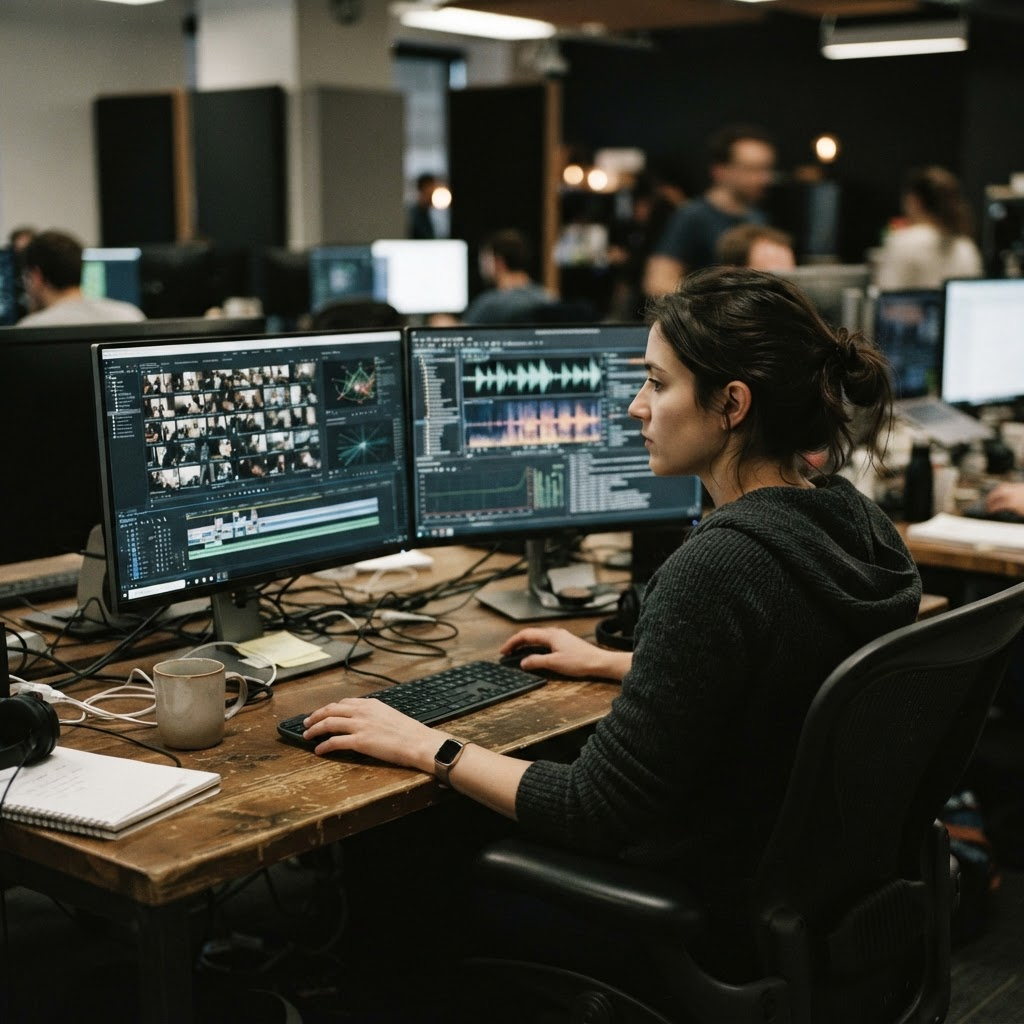
A first-person view of a contributor’s hands performing a documented step of a task during egocentric capture.
Office and desk tasks are captured from the worker’s own point of view, because that is the view an assistant robot working at a desk would have.

Requirements

What does an office capture need that a generic desk clip does not?

01

Hands and paper in view at the same moment

Most office tasks are two-handed: one hand holds a stack or a folder while the other staples, feeds, labels or seals. A head-mounted view keeps both hands and the item in frame through the whole attempt, and 3D hand pose carries a per-joint visibility flag so a hidden finger is flagged rather than guessed.

02

Task steps written down, not inferred

The skill spec names the sub-steps of a task and their order, and action segments carry a start and end timestamp, a verb and a noun for each one. A step such as sign and file a form is stored as labeled units rather than left for a model to infer from one long clip.

03

Screens, documents and badges handled at ingest

An office is full of identifying content that is incidental to the task. Legible screens and documents are detected and irreversibly blurred at ingest, and a human reviewer confirms the result before delivery.

04

Real consent for a real workplace

Each contributor signs a documented release as part of a consent chain that travels with the data, and clips where a bystander cannot be de-identified are discarded rather than shipped with a caveat.

Definition

What is egocentric video data of office and desk tasks?

Egocentric video data of office and desk tasks is first-person video of people doing everyday office work: working at a desk with documents, a keyboard and a phone, filing, handling mail, printing, scanning, operating a coffee machine, or running a desk-and-document station with a stapler, a binder and a label maker. Paid, consented contributors wear a capture rig and perform the tasks named in a written skill spec.

It sits next to two pages that already exist on this site without duplicating either. The workplace task page covers warehouse, retail, automotive, kitchen and assembly settings. The enterprise workflow page turns a hands-on SOP into labeled step units, and it describes a purely cognitive or paperwork process with no physical manipulation as a poor fit. Office and desk tasks are the physical side of paperwork: the hands feeding a scanner, squaring a stack, sealing an envelope, signing and filing a form. That hand work is exactly what a first-person camera sees well.

Why it matters

Why do AI and robot teams need first-person office task video?

A robot or assistant that will work in an office needs to see office tasks the way the person doing them sees them. Footage from across the room shows that someone is working; it does not show how the hands load a paper tray, clear a jam, thread a form into a folder or seal an envelope. A head-mounted camera records the reach, the grasp and the hand-to-item relationship from the viewpoint a mobile manipulator or humanoid would have.

Office tasks are also a gentle entry point for manipulation research. Every task in the stated office catalog is rated Easy or Medium, the items are light and rigid or thin, and the setting is controlled. That makes them useful for teams who want varied, repeatable, short-horizon tasks, and for multimodal teams who want action-labeled video of ordinary indoor work.

Because the collection is custom and on demand, coverage follows your task list rather than whatever happened to be recorded. A first validated batch arrives in a median of 48 hours from signed spec where coverage is deep, and in three to four weeks where contributors have to be recruited into an unfamiliar environment.

Why it is hard

What makes office and desk work hard to capture well?

Paper is thin and flexible, so a sheet or a stack changes shape every time it is touched, lies against other sheets and hides what is under it. Small items such as staples, labels, tape and envelope flaps are easy to lose behind a fingertip. The hands themselves occlude much of what they hold, and tasks such as collating or squaring a stack repeat many near-identical motions that only differ in order.

Typing and mouse work are small, fast finger movements that are hard to read even for a person watching, and the result of the work lives on a screen rather than in the hands. A real office also puts identifying material into frame by accident: names on monitors, forms on a desk, badges, mail and colleagues passing behind the contributor.

The capture program answers these with the streams and labels already stated on this site rather than with new ones: a calibrated head-mounted stereo view with depth, two wrist cameras, 3D hand pose with per-joint visibility, contact events on grasp and release, ordered action segments, and an anonymization pass for everything else in frame. The table below maps each challenge to what is stated, and says so where nothing is.

Tasks

Which office and desk tasks can be captured?

The site lists three environments in its Office and IT sector. Office and Professional Services covers six tasks: coffee machine operation, desk work, filing, mail handling, printing and scanning. Office Document Station covers twelve: assemble a binder, hole-punch and bind, label-maker and apply, load a tray and clear a jam, pack and tape a mailer, refill a stapler and tape, shred documents, sign and file a form, sort into folders, staple and collate sets, stuff and seal envelopes, and trim with a guillotine.

The third environment, Data Center and IT Hardware Bench, belongs to the same sector but is hardware work rather than paperwork: applying and scanning an asset tag, patching cables, seating a transceiver, reseating a card, mounting rails. It has its own page, linked below. All three are listed as available on request, and the office task rows are rated Easy except three document-station tasks rated Medium: refilling a stapler and tape, signing and filing a form, and stuffing and sealing envelopes.

Desk work is described in the catalog as working at a desk handling documents, a keyboard and a phone through routine office tasks. That is the task closest to what people mean by computer-use video, and a later section is explicit about what it does and does not include.

What you get

What does a Firsthand office collection deliver?

The same stream set as any other custom egocentric collection: ten synchronized streams including a 4K head camera, two wrist cameras, depth, IMU, 3D hand and body pose, instance segmentation and action labels. Depth is recovered from the calibrated stereo rig, the streams are hardware-triggered onto one PTP clock domain and aligned under 2 ms, the IMU is 6-DoF at 200 Hz, and hand pose is 21 joints per hand in 3D with a per-joint visibility flag.

The catalog lists the capture configuration per environment: Office and Professional Services is captured with a head-mounted phone or a multiview rig, and Office Document Station with a multiview rig plus handheld grippers. Which of the ten streams a given order carries is decided in the skill spec; the catalog does not state a per-environment stream list, so that is marked as not stated in the tables below.

Every episode also ships with its record: the consent chain for the contributor, the anonymization record, and provenance and data-processing documentation for your legal team. Calibration runs twice per session and is accepted only under the 0.28 px RMS reprojection gate.

Skill spec

How do you specify an office workflow for a custom collection?

Write the task as a skill spec: the tasks to demonstrate, the workstation and its layout, the objects involved, which streams and labels the pipeline needs, the accept criteria, and the delivery format. A desk-and-document task is specified the same way as any other, and only the setting, tasks and objects change.

Task decomposition does the real work. The catalog describes sign and file a form as writing, signing and filing a form, which a spec splits into ordered sub-steps. Each becomes a labeled action segment with a start and end timestamp, a verb and a noun, so a continuous run still yields individually labeled steps. Name the items too: tray, binder, mailer, stapler, shredder, label maker, guillotine, folder, cabinet.

Also decide what variation you need: different desks and rooms, different office types, different people, different starting states such as a jammed tray, a stack out of order or an unsealed envelope. Where a task is prone to going wrong, ask for failure and recovery cases, which the spec can require deliberately. The spec is where you settle which streams you need, how many contributors and how much volume, and what counts as a correct completion.

Screens and privacy

How are screens, documents and bystanders handled?

The anonymization page states that a vision model runs on every frame at ingest, flagging faces, heads, licence plates and any legible screen or document. Faces, plates and screens are then irreversibly blurred, and a human reviewer confirms the result before footage is delivered. The documents class is described as phone and monitor content, forms, badges and mail that would leak names, addresses or account data. That is the class an office puts in frame.

People are handled alongside it. Every contributor signs a documented release as part of a consent chain, the record travels with the data, and an anonymization record is delivered alongside it. Bystanders such as colleagues passing behind the desk are blurred at ingest, and clips where a bystander cannot be de-identified are discarded rather than delivered with a quality caveat. Site access and permission are confirmed for every location a contributor proposes.

The practical consequence is that legible screen and document content is not in the delivered pixels. If your pipeline needs the content of a document, raise it before the spec is signed; whether any engagement can keep specific content is not stated on this site.

Computer use

Does first-person video of desk work cover computer use?

Only partly, and the boundary is worth stating plainly. What is delivered is first-person video of a person at a desk, with hand pose, contact events and action segments for what the hands do: reaching for a phone, handling a keyboard, moving paper, picking up a pen. That is the physical, embodied side of desk work, and it is what a robot or a vision-language-action model needs.

The listed streams do not include a screen-capture stream, a cursor or click log, a keystroke log or an accessibility-tree dump, and legible screens are blurred at ingest. A model that must read an interface, or learn which click follows which state, is not served by this collection as described. We do not state any such stream, so nothing here should be read as one.

For a team that wants both, the sensible split is to treat office video as the embodied half of a pipeline and source interface traces separately. If you need synchronized screen content under a specific arrangement, say so in the request so it can be scoped rather than assumed.

Labels and QA

How are office action segments labeled and validated?

Action segments are frame-accurate: each carries a start and end time, a verb and a noun, in the order the spec defines. Hand pose is 3D with a per-joint visibility flag, and contact events mark when a hand meets or releases an item, which is useful for tasks defined by a grip or a release such as feeding a sheet into a scanner or seating a stapler magazine.

Every episode passes calibration and synchronization checks on every active stream, plus label and annotation review for hand pose and action segments where those are included, before it is delivered. Episodes that fail are rejected rather than shipped with a caveat, and the reject log is delivered with a Spec Pilot batch so you can see what was refused and why.

Variation between people is expected rather than treated as a defect. Two contributors squaring a stack will not make the same motion, and the spec’s accept criteria define what counts as a correct completion, not a single reference movement.

What is not stated

What is not stated about office capture?

Several things a buyer might assume are not stated on this site, and this page does not state them either: screen-capture, cursor, click and keystroke streams; a per-environment list of which of the ten streams ship; readable screen or document content in delivered video; task-completion or paper-state labels such as whether a document is correctly filed; force or tactile data; counts of offices, contributors, hours or episodes for the office environments; and a delivery timeline specific to offices.

The only timeline stated is the general one: a median of 48 hours from signed spec to first validated batch where coverage is deep, and three to four weeks where it is thin. Whether office coverage is deep or thin for a given location and task list is settled when the spec is scoped. No company, office or brand is named as a client or a capture location on this page.

Delivery and speed

What formats and licensing apply, and how fast can a collection start?

Finished data ships in RLDS, LeRobot, WebDataset, HDF5, zarr or Rerun .rrd, or as raw streams with metadata, whichever your pipeline already consumes. RLDS and LeRobot are built around episodic, step-based sequences, which maps directly onto an office task already decomposed into task-unit episodes with action-segment labels. Because that structure is set at the spec stage, the same capture can be re-exported into another format later.

The license is perpetual, non-exclusive and buyer-owned by default, with exclusivity available, so the data can go into a commercial training run without a separate rights negotiation. Provenance and data-processing documentation accompany delivery, and the DPA covers the data-processing terms for the engagement.

Most programs start with a Spec Pilot, a small, fast first batch captured against the spec and QA’d against the same accept criteria as a full order. The same written spec then scales into production volume in batches.

Getting started

How do you request a custom office task collection?

Describe the tasks and workstations, the objects and starting states, the sub-steps of each task and their order, the office types and rooms, and the variation or failure cases your pipeline is missing. That becomes a written skill spec, quoted for reach, timeline and price before any capture begins, and most programs run a Spec Pilot first.

Capture setup

What is the capture setup for an office collection?

The capture setup as stated on this site, applied to office and desk tasks. Counts of contributors, offices and hours are set in the skill spec.
PartAs stated on this site
Capture configurationOffice and Professional Services: head-mounted phone or multiview rig. Office Document Station: multiview rig plus handheld grippers
StreamsTen: 4K head camera, two wrist cameras, depth, IMU, 3D hand and body pose, instance segmentation, action labels
SyncHardware-triggered onto one PTP clock domain; aligned under 2 ms
DepthMetric depth recovered from the calibrated stereo rig
IMU6-DoF at 200 Hz from head- and wrist-mounted sensors
Hand pose21 joints per hand, 3D, with a per-joint visibility flag; contact events on grasp and release
CalibrationTwice per session; accepted only under the 0.28 px RMS reprojection gate
PrivacyFaces, plates and screens blurred at ingest, confirmed by human review

Every collection runs through the same seven-stage end-to-end custom collection pipeline.

Capture challenges

Office task × what goes wrong × stream or label that addresses it

Each office capture challenge mapped to a stream or label this site already states. Where nothing is stated, the row says so.
Office taskWhat goes wrongStated stream or label
Desk work (documents, keyboard, phone)Small finger motion; the result of the work lives on a screen3D hand pose with per-joint visibility; contact events; action segments. Screens blurred at ingest; no screen, cursor or keystroke stream is stated
Filing and sorting into foldersThin sheets overlap and hide each other; the hand covers the folder edgeHand pose and contact events on both hands; two wrist cameras; ordered action segments (start, end, verb, noun)
Mail handling and stuffing envelopesFlaps and small items hidden behind fingertips; many near-identical motionsHead-mounted view with both hands in frame; ordered action segments; failure and recovery cases can be required in the spec
Printing, loading a tray, clearing a jamReaching into a printer hides the hand from the head cameraTwo wrist cameras; hand pose with per-joint visibility; depth from the calibrated stereo rig
Scanning and shreddingFeeding a sheet is a short contact event with a fast releaseContact events on grasp and release; IMU at 200 Hz on one PTP clock; action segments
Stapling, collating, binder assemblyRepeated steps that differ only in orderTask decomposition in the spec; one action segment per sub-step
Document content in frameNames, forms and account data re-identify peopleLegible screens and documents detected and irreversibly blurred at ingest; human review; anonymization record delivered
Task completion qualityWhether a form is correctly filed or a stack correctly collatedNot stated: completion is defined in the spec and episode boundaries, not by a paper-state label
Force and contact pressureHow hard a stapler is pressed or a sheet is pulledNot stated: contact events mark when the hand meets the item; no force or tactile stream is listed

Stated environments

Office and IT environment × stated tasks × capture configuration

The three Office and IT environments as listed in the site’s commercial catalog. All three are listed as available on request.
EnvironmentStated tasksStated capture configurationPage
Office and Professional ServicesSix: coffee machine operation, desk work, filing, mail handling, printing, scanning (all rated Easy)Phone (head-mounted) or multiview rigOffice and Professional Services environment page
Office Document StationTwelve: binder assembly, hole-punch and bind, label-maker, tray and jam, mailer, stapler and tape, shredding, sign and file a form, folders, collate and staple, envelopes, guillotine (nine Easy, three Medium)Multiview rig plus handheld grippersOffice Document Station environment page
Data Center and IT Hardware BenchHardware tasks such as asset tags, cable dressing, rails and card reseatingMultiview rig plus handheld grippersData Center and IT Hardware Bench environment page

Spec elements

Stated office task × what it exercises × spec elements × labels delivered

How a few stated office tasks translate into a skill spec. The task names and descriptions come from the site’s catalog; the sub-step breakdown is what a spec would write down.
Stated taskWhat it exercisesSkill-spec elementsLabels delivered
Sign and file a formWriting grip, placing a sheet, filing orderForm, pen, folder, cabinet; ordered sub-steps; accept criterion for a filed formAction segments with verb and noun; hand pose; contact events
Staple and collate setsRepeated alignment of sheetsSheet stacks, stapler; starting order; number of sets named in the specOne action segment per sub-step; hand pose
Load tray and clear a jamReaching into a device, recovery from a faultPrinter, tray, paper; a jam start state; failure and recovery caseAction segments including the recovery; wrist camera views; depth
Stuff and seal envelopesThin flexible items, small flapsDocuments, envelopes; start state; seal criterionAction segments; hand pose with visibility flags
Desk workHands at a keyboard and phone, handling documentsDesk layout, documents, phone; which streams the pipeline needsAction segments; hand pose. No screen or keystroke stream stated

Delivered vs not stated

What an office collection delivers, and what this site does not state

The status of each item as stated on this site. Items marked not stated are not claimed.
ItemStatusDetail
First-person video with hand pose and action segmentsStatedTen synced streams; 21-joint 3D hand pose with per-joint visibility; ordered action segments
Faces, plates and screens blurredStatedIrreversibly blurred at ingest and confirmed by human review; anonymization record delivered
Consent chain per contributorStatedDocumented release travels with the data
Formats and licenseStatedRLDS, LeRobot, WebDataset, HDF5, zarr, Rerun .rrd; perpetual, non-exclusive, buyer-owned; exclusivity available
First batch timingStated, generalMedian 48 hours from signed spec where coverage is deep; three to four weeks where thin
Screen-capture, cursor, click or keystroke streamsNot statedNo such stream is listed
Readable screen or document contentNot statedLegible screens and documents are blurred at ingest
Per-environment stream listNot statedSet in the skill spec; the catalog lists only the capture configuration
Paper-state or task-completion labelsNot statedCompletion is defined in the spec, not by a label
Force or tactile dataNot statedContact events only
Counts of offices, contributors, hoursNot statedSet in the skill spec

Which page

Which Firsthand page covers which kind of work

Where this page sits among its nearest neighbours on this site.
PageMain focusWhat you get from it
This pageOffice and desk tasks: paperwork, filing, mail, printing, scanning, document stationsThe office task list, what is and is not delivered, screen and document handling
Egocentric video of real workplace tasksWarehouse, retail, automotive, kitchen and assembly settingsThe shared spec, stream and QA model across physical workplaces
Enterprise workflow video data collectionTurning a hands-on SOP into labeled step unitsTask decomposition, failure case coverage, workflow licensing
Enterprise egocentric data collectionProcurement-ready programs for companiesGovernance, consent and licensing for larger programs

FAQ

Egocentric video data of office and desk tasks, answered.

What is egocentric video data of office and desk tasks?
It is custom first-person video of people doing everyday office work such as desk work, filing, mail handling, printing, scanning and document-station tasks, captured against a written skill spec and delivered with synced streams, hand pose, action segments and a buyer-owned license.
Which office tasks are listed?
Office and Professional Services lists coffee machine operation, desk work, filing, mail handling, printing and scanning. Office Document Station lists twelve tasks including binder assembly, stapling and collating, shredding, signing and filing a form, and sealing envelopes. All are listed as available on request.
Are screens and documents visible in the delivered video?
No. Legible screens and documents are detected and irreversibly blurred at ingest, along with faces and plates, and a human reviewer confirms the result before delivery. If your pipeline needs the content of a document, raise it before the spec is signed.
Can this data train a computer-use agent?
Not on its own. The delivered streams show a person’s hands and the desk, not a screen-capture, cursor or keystroke log, and none is stated on this site. It covers the embodied side of desk work, such as reaching, grasping and handling paper.
How is an office task turned into a skill spec?
The tasks, workstation, objects, streams, labels, accept criteria and delivery format are written into the same skill spec used for every custom collection. Task decomposition splits each task into ordered sub-steps, and each becomes an action segment with a start, an end, a verb and a noun.
How are contributors and bystanders protected?
Every contributor signs a documented release as part of a consent chain that travels with the data. Bystanders are blurred at ingest, clips where a bystander cannot be de-identified are discarded, and an anonymization record is delivered alongside the data.
Which formats and license apply?
RLDS, LeRobot, WebDataset, HDF5, zarr or Rerun .rrd, or raw streams with metadata. The license is perpetual, non-exclusive and buyer-owned by default, with exclusivity available.
How long does a first office batch take?
The site states a median of 48 hours from signed spec to first validated batch where coverage is deep, and three to four weeks where it is thin. A timeline specific to offices is not stated.
Sources

Where are the formats and sync standard documented?

Request a custom office and desk task dataset.

Tell us the office tasks, the workstations and objects, and the sub-steps your model needs to see. We will quote reach, timeline and price against a written spec, with a first validated batch in a median of 48 hours where coverage is deep.