One hardware clock, every view
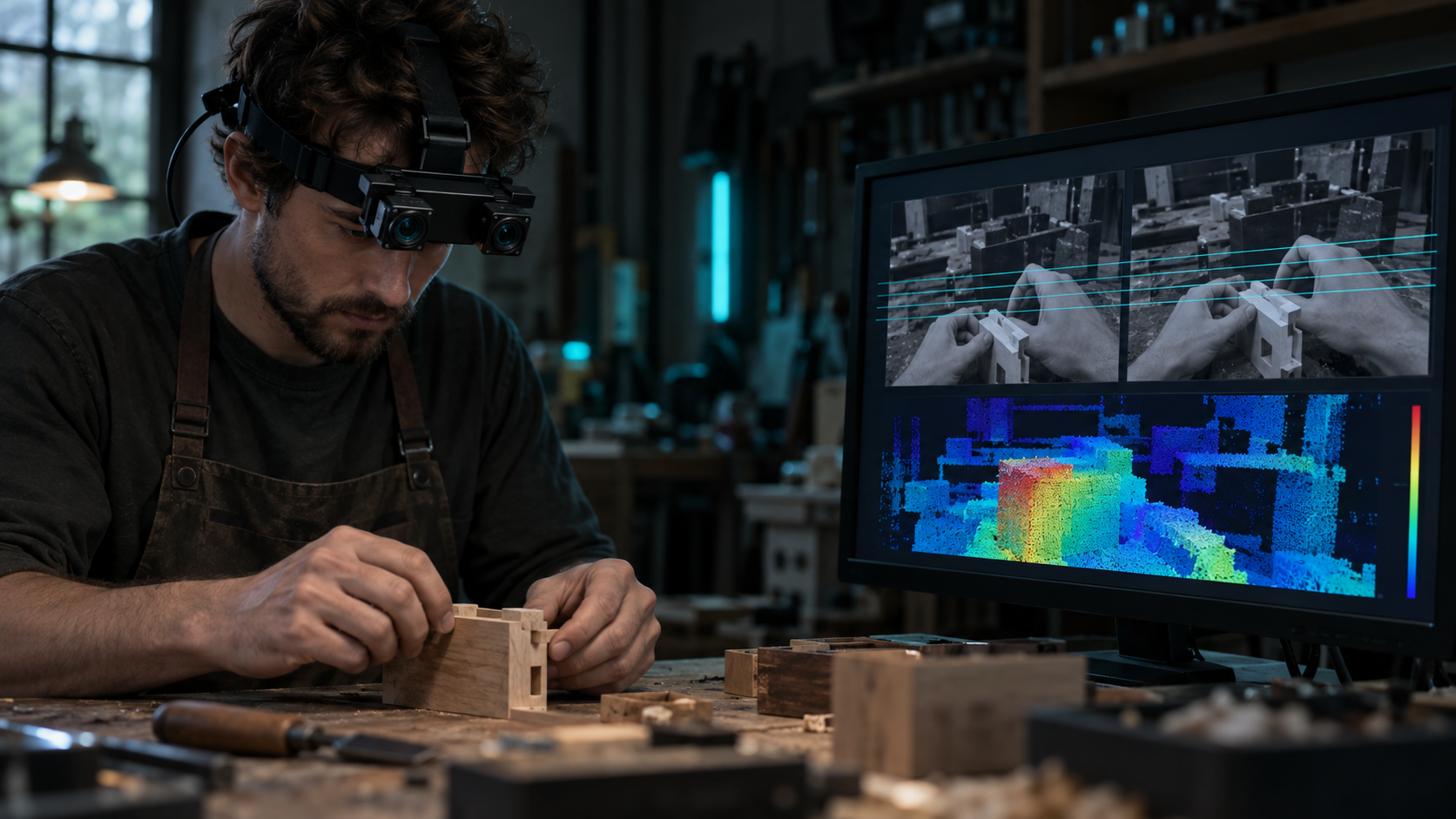
Head, wrist, depth, and IMU trigger from the same PTP grandmaster rather than being aligned after the fact, so there is no drift between views to correct downstream.
Multi-camera capture
How it works
Head, wrist, depth, and IMU trigger from the same PTP grandmaster rather than being aligned after the fact, so there is no drift between views to correct downstream.
Head↔wrist↔depth extrinsics are solved against a shared checkerboard target and expressed in the head-camera frame at the start and end of each session, so the views are geometrically related.
The head view carries the wide scene and the approach; the wrist views stay on the grasp point even when the head camera’s line of sight to it is blocked by the hand or arm.
Multiview episodes ship as RLDS, LeRobot, WebDataset, HDF5, or zarr, with per-stream nanosecond timestamps in the PTP domain so sync can be verified independently.
Definition
Multiview video data collection is recording the same task through more than one camera at once, rather than relying on a single viewpoint. For robot learning, the most common pairing is a head-mounted view that shows the environment and the approach to an object, plus one or more wrist-mounted views that stay close to the hand through the grasp.
The views only become useful together if they are tied to the same clock and the same coordinate frame. A multiview capture is not simply several cameras recording near each other — it is several cameras hardware-triggered on one clock, with the geometric relationship between them solved and shipped with the data.
Why multiple views
A single camera forces a trade-off. A head-mounted camera sees the whole task and the environment the actor is moving through, but as a hand approaches and grasps an object, the hand and arm frequently block the head camera’s view of the exact contact point. A wrist-mounted camera moves with the hand, so it keeps the contact point in frame through the approach and grasp — but it has no view of the wider scene outside its narrow field of view.
Manipulation policies, VLAs, and world models generally need both kinds of information in the same episode: enough scene context to know what task is being attempted, and enough contact-level detail to learn the fine motor skill of the grasp itself. Capturing both views from the start, on one clock, avoids trying to reconcile two separately recorded videos after the fact.
Camera set
A multiview collection combines the head-mounted global-shutter camera with two wrist cameras, one on each hand. The head camera delivers the actor’s wide egocentric view: the environment, the target object, and the approach. Each wrist camera delivers a close, occlusion-resistant view of that hand’s grasp point.
Depth and IMU are captured alongside the camera streams in the same episode, hardware-triggered onto the same clock as the video. Depth is derived from the calibrated rig rather than an independent, unsynchronized sensor, so it stays aligned with every camera view rather than needing to be registered separately.
Synchronization
Every sensor in a multiview rig — head camera, both wrist cameras, depth, and IMU — is hardware-triggered from a single PTP grandmaster clock. That is a stronger guarantee than software timestamping or post-hoc alignment: the cameras are physically told to expose at the same instant, so there is no clock drift to estimate or correct downstream.
Calibration is the other half of the problem. Head↔wrist↔depth extrinsics are solved against a shared checkerboard target and expressed in the head-camera frame, with intrinsics, extrinsics, and reprojection error shipped alongside the episode. That calibration is run at the start of a session and solved again at the end, so a change mid-session shows up as a number you can filter on rather than an assumption you have to trust.
Delivery
A delivered multiview episode carries the head RGB stream, both wrist RGB streams, depth, and IMU, each with its own per-stream nanosecond timestamp in the PTP domain. In the HDF5 and zarr export, these appear as separate streams under one group per episode — for example head_rgb, wrist_l, wrist_r, depth_mm, imu_head, and imu_wrist_l/r — with a calibration group holding intrinsics, extrinsics, and reprojection error for that session.
In LeRobot format, the same views map to observation.images.head and observation.images.wrist_l/r alongside observation.state and action. In WebDataset shards, each sample key covers head.jpg, wrist_l.jpg, wrist_r.jpg, and depth.png with its annotation JSON. Whichever format you choose, the same calibrated, hardware-synced streams are underneath it.
Head vs wrist
The head view and the wrist views are not redundant copies of each other — they cover different failure modes. The head camera’s strength is scene context: it localizes the object, shows the path the actor takes to reach it, and keeps working across sub-tasks that involve moving between locations. Its weak point is exactly where manipulation gets hard: once the hand and object are close together, the head camera’s view of the contact point is often occluded by the hand and arm itself.
A wrist camera’s strength is the opposite. Because it is mounted at the wrist, it stays close to the object and the grasp point through the approach and the grasp, resistant to the occlusion that defeats the head view at the critical moment. Its weak point is scope — a wrist camera alone loses the surrounding scene outside its narrow field of view, so it cannot tell a policy what task is being attempted or where the object sits in the room. Captured together on one clock, each view covers the other’s blind spot.
Scoping
A multiview collection is scoped the same way any custom collection at Firsthand is scoped: a written spec defines the tasks, environments, and camera set the project needs, along with the annotation layers (hand pose, actions, contacts, object masks) and the delivery format the data should ship in. Because the camera rig, calibration, and clock are already built, a multiview spec mainly needs to specify which tasks and environments to collect, rather than the sensor configuration itself.
Diversity and reach are handled the same way as other custom collections — activities, environments, and regions are balanced across the project’s target distribution, and thin cells get an honest staffing timeline rather than a quiet substitution.
Timeline
Where coverage is already deep for the task and environment mix requested, a median of 48 hours separates a signed spec from the first validated batch. Where coverage is thin — a less common task, environment, or region — the honest timeline is three to four weeks to recruit and onboard the right contributors rather than ship rushed footage against the clock.
At a glance
Every collection runs through the same seven-stage end-to-end custom collection pipeline. End-to-end custom data collection is a managed service that takes an AI data need from problem to owned dataset in a single accountable pipeline.
Camera views
| View | Mount | What it captures | Typical use |
|---|---|---|---|
| Head view | Head-mounted, global-shutter 4K | Wide egocentric view of the environment, target object, and approach | Scene context, navigation between sub-tasks, object localization |
| Wrist view (L/R) | Mounted at each wrist | Close, occlusion-resistant view of that hand’s grasp point | Contact detail, grasp precision, in-hand manipulation |
| Depth | Derived from the calibrated rig | Per-pixel depth aligned to the camera views and clock | 3D hand and object pose, contact geometry |
| IMU | Head and wrist-mounted | Motion data synchronized to the same clock as the camera views | Motion and contact event detection |
Delivery
| Stream | Format field | Notes |
|---|---|---|
| Head RGB | observation.head_rgb (RLDS) · observation.images.head (LeRobot) · head.jpg (WebDataset) · head_rgb (HDF5/zarr) | Full 4K; decode lazily or downscale in the input pipeline |
| Wrist RGB (L/R) | observation.images.wrist_l/r (LeRobot) · wrist_l.jpg / wrist_r.jpg (WebDataset) · wrist_l / wrist_r (HDF5/zarr) | One stream per wrist camera |
| Depth | observation.depth_mm (RLDS) · depth.png (WebDataset, 16-bit) · depth_mm (HDF5/zarr) | Metric millimetres; decode as uint16, not 8-bit |
| Calibration | calibration/ group: intrinsics, extrinsics (SE3), rms_reproj_px | Per session; head-camera frame is the identity for all extrinsics |
| Timestamps | *_timestamp_ns, per stream | int64, PTP domain, shipped with every stream for sync verification |
FAQ
Sources
Scope the tasks, environments, and annotation layers, and we’ll hardware-sync head and wrist cameras onto one clock for you.