Now recruiting capture teams worldwide. Get paid to record first-person video of real work.

Apply to capture

Task family

Stereo Retail Price Tagging and Backroom Organization Data

Loading a pricing gun, tagging each item, placing shelf signage, sorting stock onto labelled racks and bins and breaking down cartons is the quiet hand work behind a store floor. This page covers the stereo and container side of retail backroom robot training data for the four catalog rows that name this work: what a calibrated stereo pair adds, what MCAP is according to its own documentation, and what the site does not state. We run custom retail data collection fast and on demand against a spec you write, through custom collection at scale through a network of thousands of capture providers, for a consistent, recurring data flow to labs.
Catalog rows
Four, in Retail Store -- Back of House
Status
Easy and Ready to deploy, as the catalog lists them
Container
MCAP (.mcap), open source
License
Perpetual, buyer-owned
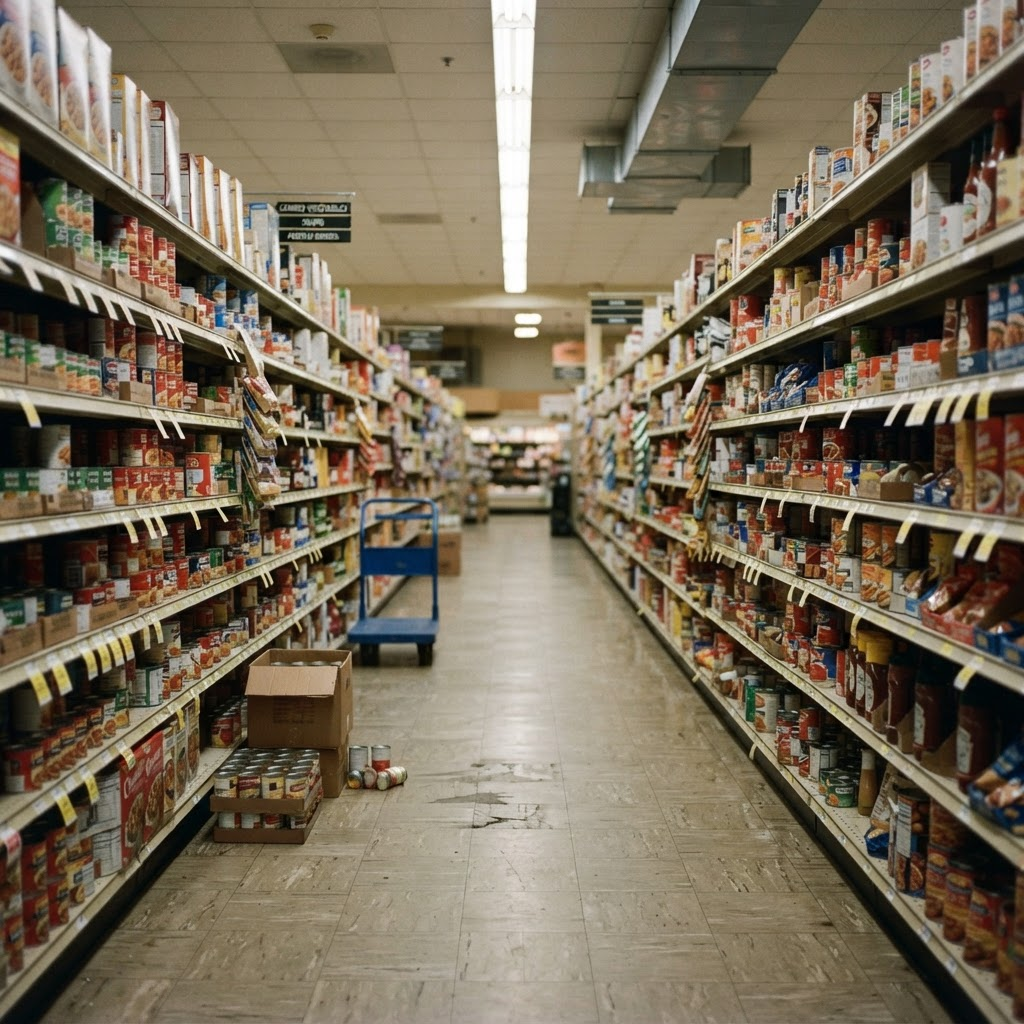
A grocery store shelf aisle with stocked shelves and a part-emptied case on the floor
A retail setting shown to illustrate the stock and shelf work this page covers. The four catalog rows sit in the Retail Store -- Back of House environment.

Why stereo and MCAP here

What do a stereo pair and an MCAP file add to price tagging and backroom video?

01

Small labels and stacked stock in depth

The site states that a stereo pair at human-eye spacing makes depth recoverable from every frame pair. Price labels sit on small packaging, and backroom stock sits in cartons, racks and bins, so depth helps separate the item, the label and the shelf.

02

Hands behind cartons, flagged when hidden

A pricing gun, a carton or a rack upright can hide the fingers that hold them. 3D hand pose with a visibility flag per joint says which joints were seen and which were not, rather than guessing silently.

03

Two task families on one scoped order

Pricing and backroom work are listed side by side in one catalog environment, so one written spec can carry both, with each sequence defined and labelled separately.

04

One open container for several timestamped streams

MCAP stores multiple channels of timestamped, pre-serialized data with schemas alongside, so stereo, hand pose and IMU can sit in one file. Topic names and layout are agreed in the skill spec.

05

Rights you can ship on

A perpetual, buyer-owned commercial license backed by a documented consent chain, so a policy trained on the data can go into a product.

Why it matters

What is stereo retail price tagging and backroom organization data, and why does it need its own page?

Stereo retail price tagging and backroom organization data is real-world, first-person video of a person doing the work the catalog rows describe: printing and applying price labels, tagging merchandise with a pricing gun, placing shelf signage, sorting stock onto labelled racks and bins and breaking down cartons. The stereo side means that, where a stereo pair is agreed in the spec, two calibrated cameras record the view, and the container side means the files can be packaged as MCAP.

The work is a useful test for a manipulation policy because it is repetitive, close-up and full of small targets. A label has to land on a specific place on a package. A carton has to end up on the right rack. The hands do most of the work and the objects are small, stacked or partly hidden, which is where depth and hand pose help.

The site already has pages for the egocentric versions of both halves, plus stereo pages for shelf restocking, cycle counting and product labeling. This page does something different: it treats price tagging and backroom organization as one stereo and MCAP order, built on four rows that live in one catalog environment.

Catalog rows

Which catalog rows cover price tagging and backroom organization?

The site lists four rows in its Retail Store -- Back of House environment, in the Retail & Consumer Goods sector. "Price Tagging & Signage" reads "Print price labels, tag merchandise with a pricing gun and place shelf signage." "Tag and price merchandise using a pricing gun and label sheets" reads "Load the pricing gun, tag each item and apply labels from sheets to packaging."

"Backroom Organization" reads "Sort stock onto labelled racks and bins, break down cartons and clear the aisles." "Sort and organize backroom inventory using shelving racks and bins" reads "Group backroom stock by category, shelve it on racks and label bins." All four are rated Easy, their status is Ready to deploy, and their capture mode is Phone (head-mounted) / multiview rig.

The environment lists its examples as the stockroom, receiving dock and backroom of supermarkets, apparel and general retail. The site names no retailer, store or product brand for these rows, so those details are agreed in the written spec.

Status

What does Ready to deploy mean for these rows?

The site defines Ready to deploy plainly: contributors and site access are set up, and capture starts once a spec is signed. It is not the same as Active collection, where recording is already running and a spec can join an existing stream, and it is not Available on request, where the work is scoped and recruited to spec when a buyer asks.

The backroom organization page states that the environment holds ten rows in total, all rated Easy and listed as Ready to deploy. This page covers the four rows named above and does not claim the others, such as cart and basket retrieval or shelf restocking and facing.

Ready to deploy describes catalog status. It does not state a volume, a number of stores or a number of hours, and none are claimed here.

Price tagging

What does the price tagging half involve?

Two rows cover it. The first joins printing price labels, tagging merchandise with a pricing gun and placing shelf signage. The second is narrower: load the pricing gun, tag each item and apply labels from sheets to packaging. An episode can cover the whole chain or isolate one part of it, for example only the tagging of items already unpacked.

The site gives no label size, no item type, no pricing gun model, no number of items per episode and no task time for these rows. Which merchandise is tagged, where the label goes and where an episode begins and ends are agreed in the spec rather than assumed.

The egocentric price tagging and shelf signage page treats the same rows from the first-person side and also lists a third row, "Price-tag items" ("Attach price tags/labels."). This page does not claim that third row.

Backroom organization

What does the backroom organization half involve?

Two rows cover it. Backroom Organization sorts stock onto labelled racks and bins, breaks down cartons and clears the aisles. The second row groups backroom stock by category, shelves it on racks and labels bins. Together they describe a loop of lifting, sorting, placing and labelling.

The site states no rack layout, bin count, carton size, stock category or task time for these rows. It also gives no lifting or handling instruction beyond the wording of the rows themselves, and this page adds none. How stock is grouped, what a bin label looks like and how much of the aisle is in frame are agreed in the written spec.

The egocentric backroom organization page also covers inspecting and sorting damaged goods, which is a separate pair of rows. This page leaves those out.

One order

Why capture price tagging and backroom organization together?

They share an environment, a capture mode, a difficulty rating and a status, and they share a setting: a store stockroom where items are handled before they reach the floor. A buyer building a retail back-of-house policy often needs both a labelling skill and a sorting skill, and a single spec keeps the vocabulary, the accept criteria and the delivery format the same across them.

Keeping the two sequences separate matters just as much. Tagging ends with a label on an item. Backroom organization ends with stock on a labelled rack or in a labelled bin. A spec can ask for them as two episode types, or as one longer visit, with action segments marking where each sequence starts and ends.

The site does not state that any episode combines the two, so how often each appears and how they are ordered is set in the spec.

Stereo

Is this data captured in stereo?

Not on the rows as listed. The catalog names a head-mounted phone or multiview rig as the capture mode for all four, and stereo applies only through the site general stereo offer: a stereo pair is agreed in the skill spec and confirmed on a Spec Pilot. This page claims no delivered stereo footage of price tagging or backroom work.

The stereo head rig, off-the-shelf dataset 06, is listed with dual fisheye cameras at 1080p per eye, a 62 mm baseline, per-unit calibration, a 9-axis IMU and hand-tracking output, shipped as MCAP. It is a rig the site describes, and the site does not state that it was used to record these four rows.

If you want a stereo pair for this work, say so in the spec and confirm it on the Spec Pilot batch. If a head-mounted phone or a multiview rig is enough, the egocentric price tagging and backroom pages describe that capture directly.

What stereo adds

What would a stereo pair add to this work?

The site states that a stereo pair at human-eye spacing makes depth recoverable from every frame pair, and that stereo collection lists stereo RGB, depth, IMU and audio, with calibration measured every session and shipped with the episode. For price tagging that means the pricing gun, the item and the label sit in the same depth frame as the hands.

For backroom work it means the rack, the bin, the carton and the aisle can be separated by distance as well as by colour. A policy that has to decide where a carton goes on a rack benefits from knowing how far the shelf is, not only what it looks like.

The site does not state a depth accuracy figure, a working distance or a resolution specific to these rows. Hand pose is stated as 21 joints per hand with a per-joint visibility flag, and the cross-stream sync ceiling is stated as 2.0 ms on one hardware clock.

MCAP

What is MCAP, per its own documentation?

MCAP is an open source container file format for multimodal log data, supporting multiple channels of timestamped pre-serialized data. It is serialization-agnostic, so messages can be Protobuf, DDS (CDR), ROS, JSON and more. Its design is row-oriented and append-only, it stores schemas alongside the data, and it offers an optional index plus optional LZ4 or Zstandard chunk compression, as described at mcap.dev.

The MCAP specification states that a Message record carries a channel ID, a log time, a publish time and the data, with timestamps as uint64 nanoseconds since a user-understood epoch. It names calibration data as an example of an attachment. The foxglove/mcap repository lists reader and writer libraries for C++, Go, Python, Rust, Swift and TypeScript, plus a command-line tool, under an MIT license that belongs to the MCAP project, not to a Firsthand delivery.

Firsthand is not affiliated with Foxglove or the MCAP maintainers. The facts about MCAP on this page come from mcap.dev and the foxglove/mcap repository, linked in the sources.

MCAP streams

Which Firsthand streams can ship in an MCAP delivery?

For dataset 06 the site states a calibrated stereo head rig with hand-tracking output and a 9-axis IMU, shipped as MCAP. Site-wide, hand pose is 21 joints per hand with a per-joint visibility flag, and stereo collection lists stereo RGB, depth, IMU and audio with calibration shipped with the episode.

What is not stated is which of those streams are channels in an MCAP file for a price tagging or backroom order, how they are named, or at what rate. Depth, wrist cameras, action segments and contact events are all in that category. If a stream matters to you, name it in the skill spec and confirm it on a Spec Pilot batch rather than assuming it.

The table below sets out what the site states and what it leaves to the spec. No topic names, schemas or rates are claimed on this page.

Streams and labels

What does each episode contain?

Each episode follows the episode schema used across Firsthand custom collections: ten streams synced under 2 ms, with head and wrist RGB, depth, 3D hand pose with per-joint visibility, contact and grasp events and frame-accurate action segments. Each episode carries one task instruction.

For this work, hand pose tracks the operator through the tag and the placement, contact events mark when the fingers make and break contact with a pricing gun, a label sheet or a carton, and action segments mark the start and end of each step. Because the labels share one clock with the video and depth, a step boundary lines up with the exact frame where it happens.

Object labels use the terms your spec sets. The spec decides which classes are in scope before capture, so labels follow the vocabulary your training stack expects rather than a generic taxonomy.

Not stated

Which labels and values does the site not state for these rows?

Label formats, price values, item types, rack layouts, bin and carton counts, task times, throughput, force or tactile data, a task-completion label and any success rate are not stated anywhere on the site as standard fields for these rows.

If your policy needs any of them, they are defined in the written spec as annotation depth, and the quote covers them before capture begins. This page does not promise them by default, and it names no tool brand, retailer or store.

Neighbouring pages

How is this different from the shelf restocking, cycle counting and product labeling pages?

The stereo retail shelf restocking page covers nine rows across several retail environments and treats restocking and facing as the main topic. Its three Back of House rows are about unpacking and stocking shelves, and it does not make price tagging or backroom sorting its subject.

The stereo inventory cycle counting page covers two counting rows in a warehouse environment: scan shelf locations, count items and reconcile. The stereo product labeling page covers two labeling and packaging rows in a plastic and light-assembly manufacturer, centred on label gun application on a packaging line.

None of them makes pricing and backroom sorting its main topic. The comparison table below sets each against this page, alongside the two egocentric siblings that cover the same rows without the stereo and MCAP framing.

Privacy

How is contributor privacy handled?

Every contributor signs a written release before capture, and each delivered episode links to that record through a documented consent chain. Contributors are paid and consented, and footage that cannot be de-identified is discarded rather than shipped.

At ingest, automated detection finds faces, plates and screens and blurs them irreversibly, and a reviewer confirms the result before anything ships. The anonymization record is delivered with the data.

The site does not state that readable signs, price labels or tag text are blurred. If the legibility of a label matters, or if it must be hidden, raise it in the spec so the handling is agreed before capture. None of this is legal advice, and the executed agreement controls.

Delivery

How is the data labeled and delivered?

Delivery formats are RLDS, LeRobot and WebDataset, plus HDF5, zarr and Rerun .rrd, and a custom order can be packaged as MCAP. The first three are training-loader formats, HDF5 and zarr carry arrays for custom pipelines, and Rerun .rrd gives a multi-stream synchronized playback file for review. The format table below sets each against its official documentation where it was read.

MCAP is a container for timestamped log data, not a training format. If your training loop expects RLDS, LeRobot or WebDataset, name that format in the spec alongside MCAP. The site does not say that an MCAP file is exported from the same canonical episodes as the other formats, so confirm that in the spec.

Every batch is validated against signed accept criteria before it ships, with a reject log, and delivery is rolling, per validated batch.

Fast · on demand · at scale

How fast can a custom price tagging and backroom dataset be collected?

Where coverage is already deep, the first validated batch lands in a median of 48 hours from signed spec. Thin environments typically take three to four weeks, because vetting operators there is the bottleneck, and we quote that timeline up front. The four rows are currently Ready to deploy.

On-demand top-ups run against the same spec and accept criteria after each training run, so new data stays consistent with what you already hold. The site does not state a batch size or a later-batch turnaround, so those are quoted against your spec.

This is custom collection at scale through a network of thousands of capture providers, for a consistent, recurring data flow to labs. The site states no provider counts, hours or throughput for this task, and none are claimed here.

The spec

How do you start a pilot?

You describe the labelling and sorting sequences your policy needs. We turn that into a written spec covering tasks, environments, capture tier, annotation depth and accept criteria, then quote reach, timeline and price against that document before any capture begins.

A Spec Pilot, a small and fast first batch, can prove the spec, the stereo pair and the accept criteria before you scale volume. The collection runs through the same seven-stage end-to-end custom collection pipeline as every Firsthand program: contributor recruiting, capture, per-batch QA, anonymization and licensed delivery. Billing is per validated hour, a reject log ships with every batch, and rejected items are recaptured at our cost.

Rights

How is the data licensed?

Every custom collection ships under a perpetual, buyer-owned commercial license, and exclusivity is available so the data is never resold. The license is documented alongside the consent chain, so a policy trained on the data can go into a product.

At a glance

What you get.

Every collection runs through the same seven-stage end-to-end custom collection pipeline. End-to-end custom data collection is a managed service that takes an AI data need from problem to owned dataset in a single accountable pipeline.

What the site states

What does the site state about price tagging and backroom organization?

Where the work appears on this site, what each place states and how this page uses it.
Where it appearsWhat the site statesUsed on this page as
Task catalog, Retail Store -- Back of HouseFour rows covering pricing gun tagging, shelf signage, sorting stock onto racks and bins and breaking down cartonsThe stated tasks
Environment examplesStockroom, receiving dock and backroom of supermarkets, apparel and general retailContext for the setting
Task catalog, same environmentOther rows such as cart and basket retrieval and shelf restocking and facingNeighbouring work, not claimed here
General stereo offerA stereo pair is agreed in the skill spec and confirmed on a Spec PilotHow stereo applies to these rows
Stereo head rig (06)Dual fisheye, 1080p per eye, 62 mm baseline, per-unit calibration, 9-axis IMU, hand-tracking output; shipped as MCAPA rig example, not stated as used for these rows
Task catalogNo label format, price value, rack layout, task time or success rate is statedNot stated; scoped in the written spec

Catalog rows

Which four catalog rows does this page cover?

The four rows exactly as listed in the Retail Store -- Back of House environment, with the catalog description, skill rating, capture mode and status.
Task familyCatalog task and descriptionSkillCapture modeStatus
Price taggingPrice Tagging & Signage: print price labels, tag merchandise with a pricing gun and place shelf signageEasyPhone (head-mounted) / multiview rigReady to deploy
Price taggingTag and price merchandise using a pricing gun and label sheets: load the pricing gun, tag each item and apply labels from sheets to packagingEasyPhone (head-mounted) / multiview rigReady to deploy
Backroom organizationBackroom Organization: sort stock onto labelled racks and bins, break down cartons and clear the aislesEasyPhone (head-mounted) / multiview rigReady to deploy
Backroom organizationSort and organize backroom inventory using shelving racks and bins: group backroom stock by category, shelve it on racks and label binsEasyPhone (head-mounted) / multiview rigReady to deploy

Capture setup

How is this work recorded?

The capture mode named in the catalog for the four rows, and where stereo applies.
Capture modeWhat the site says it recordsWhere it applies
Phone (head-mounted) / multiview rigA head-mounted phone records the first-person view of real work on site; a multiview rig adds synchronized third-person angles when the spec asks for themAll four catalog rows
Head-mounted cameraKeeps the hands, the item and the shelf in frame from the viewpoint a manipulation policy acts fromAll episodes
Wrist-mounted cameraAvailable alongside the head camera for close-range detailStated as an option; per-task use set in the spec
Stereo pairApplies only through the site general stereo offer: agreed in the skill spec and confirmed on a Spec PilotNot stated on the rows
Stereo head rig (06)Dual fisheye, 1080p per eye, 62 mm baseline, per-unit calibration, 9-axis IMU, hand-tracking output; shipped as MCAPRig example from the off-the-shelf stereo category

Streams and labels

What does each episode carry, and what is not stated?

Streams and labels the site states for Firsthand custom collections, and fields the site does not state for these rows.
ItemStatus on this siteWhy it matters here
Head and wrist RGB, depthStated; ten streams synced under 2 msKeeps the item, the label and the hands on one timeline
3D hand pose with per-joint visibilityStated; 21 joints per handCarries the grip on a pricing gun, a carton or a bin
Contact and grasp eventsStatedMarks when the fingers make and break contact with an item
Action segmentsStated; frame-accurateMarks tagging, sorting and carton breakdown as separate steps
Task instructionStated; one per episodeNames the sequence the episode shows
Stereo RGB, IMU, audio, calibrationStated for stereo collection; calibration measured every sessionOnly where a stereo pair is agreed in the spec
Label formats, price values, item typesNot statedDefined in the spec if the policy needs them
Rack layouts, bin and carton countsNot statedDefined in the spec
Task times, throughput, force or tactile dataNot statedDefined in the spec if the policy needs them
Task-completion label, success rateNot statedNo such claim is made on this page

MCAP at a glance

What the official MCAP documentation states

Each property with what the MCAP documentation says and where it says it. These are facts about MCAP, not about a Firsthand delivery.
PropertyWhat the MCAP documentation statesOfficial source
What it isAn open source container file format for multimodal log data, with multiple channels of timestamped pre-serialized datamcap.dev
SerializationSerialization-agnostic: Protobuf, DDS (CDR), ROS, JSON and moremcap.dev
Write designRow-oriented and append-onlymcap.dev
SchemasStored alongside the datamcap.dev
Index and compressionOptional index; optional LZ4 or Zstandard chunk compressionmcap.dev
File identityExtension .mcap; registered media type application/vnd.mcapMCAP specification
Timestampslog_time and publish_time per message, uint64 nanoseconds since a user-understood epochMCAP specification
AttachmentsAuxiliary artifacts such as text, core dumps or calibration dataMCAP specification
Libraries and CLIC++, Go, Python, Rust, Swift and TypeScript; CLI to inspect, merge and split filesfoxglove/mcap on GitHub
License of the projectMIT Licensefoxglove/mcap on GitHub

Stream map

Firsthand streams and what the site states about an MCAP file

Left to right: the stream or item, what the site states about it, and what the site states about it in MCAP. Not stated means the site does not say.
Stream or itemWhat the site statesIn an MCAP delivery, as the site states it
Stereo pairDual fisheye, 1080p per eye, 62 mm baseline (dataset 06)Dataset 06 is stated as shipped as MCAP; channel layout not stated
CalibrationPer-unit (dataset 06); measured every session and shipped with the episodePlacement in the file not stated
Hand pose21 joints per hand with a per-joint visibility flag; dataset 06 lists hand-tracking outputChannel layout and joint order not stated
IMU9-axis (dataset 06)Channel layout and rate not stated
DepthListed among stereo collection streamsNot stated
Wrist cameras, action segments, contact eventsListed in the site episode schemaNot stated
Topic names, schemas, encoding, ratesNot statedAgreed in the skill spec
SynchronizationHardware-triggered onto one clock; 2.0 ms cross-stream ceilingHow it maps to message times not stated

Formats

Which formats carry this data?

Delivery formats stated on the site, set against what each format official documentation states where the documentation was read.
FormatWhat the official documentation statesUsed for here
MCAPAn open source container for multimodal log data with multiple channels of timestamped pre-serialized data (mcap.dev)Multi-stream timestamped delivery, with layout set in the spec
RLDSA dataset is retrieved as episodes, and each episode holds a dataset of steps (RLDS repository README)Episode-based training loaders
LeRobotLeRobotDataset v3.0 is a standardized format for robot learning data, including multi-camera video, with many episodes stored per Parquet or MP4 file (LeRobot documentation)LeRobot dataset format and tooling
WebDatasetTar files in which files that belong together share a basename, split into numbered shards (WebDataset README)Sharded streaming for large training runs
HDF5 and zarrStated by Firsthand onlyArray storage for custom pipelines
Rerun .rrdStated by Firsthand onlyMulti-stream synchronized playback for review

Related pages

How is this page different from the neighbouring retail and labeling pages?

Related collection pages on this site and how their main topic differs from this one.
PageMain topicHow this page differs
Stereo retail price tagging and backroom organization data (this page)The four Back of House rows for pricing gun tagging, shelf signage, sorting stock and breaking down cartons, with stereo and MCAP framingCentres on both tasks together
Egocentric price tagging and shelf signage dataThe price tagging rows, in first-person captureEgocentric framing, no backroom sorting as its subject
Egocentric retail backroom organization dataBackroom sorting and damaged goods, in first-person captureEgocentric framing, no pricing gun work as its subject
Stereo retail shelf restocking dataNine rows centred on restocking and facing shelvesRestocking is its subject; this page covers tagging and backroom sorting
Stereo inventory cycle counting dataTwo counting rows in a warehouse environmentCounting and reconciling, not tagging or sorting
Stereo product labeling dataTwo labeling and packaging rows in a manufacturerLabel gun application on a packaging line, not retail back of house

Skill spec

What the skill spec fixes for this order

Spec element and where a buyer can see it in the delivery. Set per program means the site states no fixed value.
Spec elementWhat it decidesWhere it shows up
Tasks and orderWhether an episode is tagging, backroom sorting or both, and where each starts and endsEpisode boundaries and action segments; set per program
Merchandise and stockWhich items are tagged and which stock is sortedObject labels; set per program
Rig and streamsHead and wrist views, a stereo pair, a second angle, hand pose and any othersThe channels you can read; confirm on the Spec Pilot
Label legibilityWhether a price label or tag text must stay readable or be hiddenBlurring in the delivery; set per program
Step labelsWhether tag, place, sort and label are separate labelled stepsAction segments; set per program
MCAP layoutStreams in the file, topic names, encoding and calibration placementSet per program
Delivery formatHow the data is packagedMCAP alone, or beside RLDS, LeRobot, WebDataset, HDF5, zarr or Rerun .rrd
Accept criteriaWhat passes QA, including what counts as a rejectReject log per batch
PrivacyHow people, plates and screens in frame are protectedFaces, plates and screens blurred at ingest
LicenseWho owns the datasetPerpetual, buyer-owned commercial license; exclusivity available

Example footage

What does first-person stereo capture look like?

One real clip already published on this site, shown as a format and rig example: a head-mounted stereo capture with hands in frame. It does not show price tagging or backroom organization.

egocentric_stereo_sample.mp4 · head-mounted stereo · hands in frame · 1920 × 1080 web preview · rig example, not a price tagging or backroom clip

No price tagging or backroom organization clip is published on the site, so this is the nearest stereo clip, labelled as a format example. Request a sample to see delivered files. See stereo sample page, request an egocentric data sample.

FAQ

Retail backroom robot training data, answered.

What is stereo retail price tagging and backroom organization data?
It is first-person video of a person tagging merchandise with a pricing gun, placing shelf signage and sorting stock onto labelled racks and bins. The catalog rows name a head-mounted phone or multiview rig, and a stereo pair with depth and hand pose applies where it is agreed in the spec. Firsthand collects it to a written spec and can deliver it as MCAP.
Which catalog rows cover it, and what is their status?
Four rows in Retail Store -- Back of House: Price Tagging & Signage, Tag and price merchandise using a pricing gun and label sheets, Backroom Organization, and Sort and organize backroom inventory using shelving racks and bins. All are Easy and Ready to deploy, with a head-mounted phone or multiview rig as the capture mode.
Is the data captured in stereo?
Not on the rows as listed. Stereo applies only through the site general stereo offer, agreed in the skill spec and confirmed on a Spec Pilot, and this page claims no delivered stereo footage of these tasks.
Which MCAP topics and schemas are in the files?
Not stated on the site. Topic names, message encoding and rates are agreed in the skill spec and confirmed on a Spec Pilot batch. MCAP itself is described by its own documentation at mcap.dev.
Will price labels and tag text be legible in the video?
Not stated. The site says faces, plates and screens are blurred at ingest and does not say that readable signs, price labels or tag text are blurred, so decide in the spec whether labels must stay legible or be hidden.
How is this different from the shelf restocking, cycle counting and product labeling pages?
Those pages centre on restocking and facing, counting and reconciling, and label gun application on a packaging line. This page centres on pricing gun tagging, shelf signage, sorting stock and breaking down cartons in a store backroom.
How fast can a custom dataset be collected?
Where coverage is deep, the first validated batch lands in a median of 48 hours from signed spec. Thin environments typically take three to four weeks, and a Spec Pilot can prove the spec first. The four rows are currently Ready to deploy.
What license does the data ship under?
A perpetual, buyer-owned commercial license, with exclusivity available, documented alongside the consent chain.
Sources

Where are MCAP and the delivery formats documented?

Request a custom price tagging and backroom organization dataset.

Tell us the merchandise and stock, whether an episode is tagging, sorting or both, whether label text must stay legible, whether you want a stereo pair, the streams you want in the file and whether MCAP sits alone or beside a training format. We will quote reach, timeline and price against a written spec, with a first validated batch in a median of 48 hours where coverage is deep.