Cable and wiring

Egocentric Cable Routing and Wiring Video Data

A cable has no single shape, a connector has a small target, and the hands do the work that decides whether either ends up where it belongs. We collect custom egocentric video of routing, clipping, dressing, plugging and wiring on demand, to a written skill spec, with synchronized streams, action segments, anonymization and a buyer-owned license.
Tasks
Route, clip, dress, patch and wire, as the catalog lists them
Streams
Ten, synced under 2 ms
First batch
Median 48 h in deep-coverage settings
License
Perpetual, buyer-owned
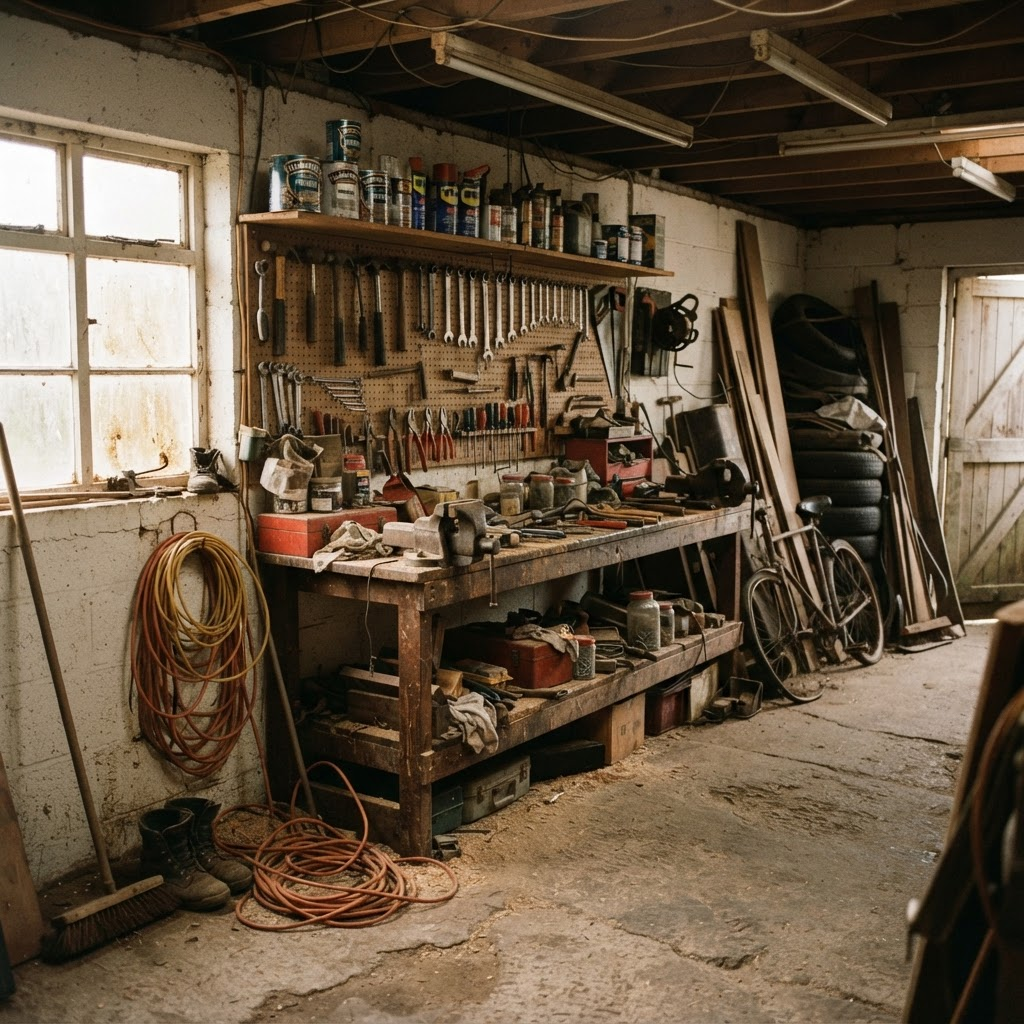
A garage workshop bench with a vise, hand tools on a pegboard and real clutter, seen from the first-person viewpoint of someone working at the bench.
Bench capture keeps the hands, the cable and the board in view from the contributor’s own point of view, which is the view a robot working at the same bench would have.

Requirements

What does cable and wiring capture need that a generic bench clip does not?

01

Both hands, the cable and the target in view together

One hand usually holds the cable while the other works the clip, connector or terminal. First-person capture keeps both hands and the item in frame, and 3D hand pose carries a per-joint visibility flag so a finger hidden behind a connector body is flagged rather than guessed.

02

A spec that names the step, not just the bench

The site’s skill-spec guide says to name the verb and the noun rather than a broad activity. A spec for this family names the task, such as routing conductors to a form board and clipping them, and where one completed step starts and ends, so each step can become its own labeled segment.

03

Finger-level detail through reach, grasp and place

The site’s assembly page says wire strip-crimp-terminate work lives in finger-level detail that RGB video alone cannot resolve, and that it needs 3D hand pose tracked through reach, grasp and place. That requirement carries over to every wiring task on this page.

04

Reject rules written before capture, not after

An item is rejected when the manipulated object is out of frame for too much of the episode, when depth is invalid over too much of the manipulation region, or when an undocumented bystander appears. The thresholds are agreed in the spec, so the batch is judged against terms you signed.

Definition

What is egocentric cable routing and wiring data?

Egocentric cable routing and wiring data is first-person video of a person routing, clipping, dressing, coiling, plugging or terminating cables and wires, recorded from the contributor’s own point of view with synchronized sensor streams alongside. The camera sits on the head, close to what a robot’s onboard camera would see over a bench, a rack or a wall, so the frames show what the hands are doing to the cable, the connector and the board rather than a distant view of someone standing near equipment. On this site it is a custom collection: you name the task, the setting and the cable work involved, and capture is run to a written skill spec.

The data is human capture. A paid, consented contributor wears the rig and performs the task. It is not robot or teleoperation data, and it is not a fixed corpus you download. This page is narrower than assembly task data, which covers fastening, measuring, press-fit and wire work at a bench as one family, and narrower than manufacturing workflow data, which covers whole production procedures. The subject here is the cable and wiring family of tasks: which of them the site states it can capture, how they are specified, what the site does and does not state about recording them, and how the episodes are labeled and checked before delivery.

People reach this topic through close cousins: cable routing robot training data, a wire harness video dataset, egocentric cable management data, or custom wiring task data collection. They describe one request from different angles. Whichever wording you start from, the work is the same: write down the task, collect it on demand from real benches, racks and venues, and receive validated episodes with the labels a training pipeline expects.

Why it matters

Why do robots need first-person video of routing, plugging and managing cables?

NVIDIA’s GR00T N1 paper describes a data pyramid with web data and human video at the base, synthetic data in the middle and real robot trajectories at the top. First-person human video of cable work sits in that base layer. The framing matters here because the demonstrations come from people doing the task in the kinds of settings where a robot would eventually work, which is what a human-video layer is for. Human capture does not replace robot data, and this page does not claim that it does.

Cable work is a revealing test of manipulation skill because the object is long, flexible and has no single shape. The site’s assembly page says that tasks such as wire strip-crimp-terminate live in finger-level detail that RGB video alone cannot resolve, and that each needs 3D hand pose tracked through reach, grasp and place. A clip that shows a hand somewhere near a cable does not carry that. The hands, the cable, the connector or terminal and the moment of contact all have to be present in the episode, and the episode has to say where one step ends and the next begins.

Breadth across tasks matters as much as volume on one of them. Generalist’s GEN-0 write-up makes a point about data in different words: "data quality and diversity matters more than sheer volume." For cable work that points at the spread of tasks and settings. Patching cables at a rack, routing a harness on a form board and running cable along a venue floor are different tasks with different geometry, and a corpus that repeats one bench does not cover them. The catalog lists cable and wiring rows across four sectors, which the task section below sets out.

Public corpora are captured for someone else’s task distribution. A custom collection lets you aim at the routing task, the termination step and the setting your model is missing instead of hoping a public release contains them. This page does not claim that any particular public corpus lacks cable work. It makes the narrower point that a custom spec lets you name what you need and have it captured, labeled and checked to terms you agreed.

Cable and wiring tasks

Which cable and wiring tasks can be captured?

Fifteen rows of the site’s commercial task catalog name a cable, conductor, wire or wiring step. Each is listed with a skill level, a capture setup and a status exactly as the catalog states them, and the first table below reproduces them. Two further rows, HVAC equipment installation and bicycle repair, mention wiring or cables as one step among many and are left out of the table because the cable work is not their subject.

On the bench, the catalog lists routing cables to a form board, routing conductors to a form board and clipping them as a harness, coiling and strapping a cable, and crimping a terminal onto a wire. These sit in the cloth-and-cable bench and the precision assembly bench for electronics, use a multiview rig with handheld grippers, and are marked available on request. The routing and harness rows are listed as medium skill, and crimping a connector is listed as hard.

The data center and IT hardware bench is described as a server rack plus hardware bench with modules, cabling and drivers. The catalog lists dressing a cable bundle to uniform pitch with ties, patching Ethernet cabling by inserting and routing patch cables, and seating power cables and locking clips. All three are listed as easy, use a multiview rig with handheld grippers, and are marked available on request.

In event venues the catalog lists AV and cable management, and routing and taping AV cables with cable ramps and gaffer tape. Both use a head-mounted phone or multiview rig and are marked ready to deploy. In construction and trades the catalog lists electrical installation on an active construction site, described as running cable, mounting boxes and wiring outlets, switches and fixtures, which is marked active collection. It also lists outlet and fixture wiring, stripping and wiring outlets, and thermostat and control wiring in trade service calls, all hard and ready to deploy, and wiring an outlet at the trades workshop bench, hard and available on request. Device manufacturing in electronics manufacturing and e-waste, which includes fitting boards and cables, completes the list.

The catalog is a list of what is captured or available, not a ceiling on what can be briefed. A cable type, routing pattern, termination step or setting outside these rows is a skill-spec question to settle in a Spec Pilot rather than an assumption. The site does not describe a cable length, a conductor gauge, a connector family list or a harness size for any of these rows, so none is stated here.

Capture setup

What capture setup and streams are used?

A cable and wiring collection uses the same capture stack as every Firsthand program. The instrumented tier is a head-mounted stereo rig that records first-person RGB, with a metric depth stream recovered from the calibrated stereo rig rather than from a standalone depth sensor, and 6-DoF IMU data at 200 Hz from head- and wrist-mounted sensors. The wider stack is ten streams: a 4K head camera, two wrist cameras, depth, IMU, 3D hand and body pose, instance segmentation and action labels, hardware-aligned under 2 ms. The two wrist cameras give a second, closer view of the hands than the head camera alone, which matters when a hand closes around a connector or a clip.

Every stream is hardware-triggered onto one PTP clock domain, so depth, motion and hand pose line up with the same video frame rather than being approximated afterwards. The rig is calibrated twice per session, before capture starts and after it ends, and an episode is accepted only if RMS reprojection stays under 0.28 px. The catalog lists the capture setup per task: a multiview rig with handheld grippers for the bench and data center rows, and a head-mounted phone or multiview rig for the venue, construction and trade rows. Which tier applies to your program is set in the skill spec.

On depth, the site states a limit for small parts: small fasteners can fall below a depth sensor’s reliable floor, so metric depth on sub-centimetre parts is flagged rather than interpolated, while hand pose stays valid at that range. That statement is about small fasteners and parts. The site does not state how depth behaves on a thin cable, a conductor or a terminal, so this page does not either. Force and tactile readings are not among the streams, and no robot or teleoperation data is captured.

Labels

Which labels and annotations are available?

Each attempt is delivered as one episode. Inside it, action segments divide the episode into start- and end-timestamped spans, each carrying start_ns, end_ns, verb and noun. For this task family a segment can be one step as written in the skill spec, so a harness run becomes a sequence of labeled steps rather than one long clip. The other standard fields are hand_joints and hand_visible for 3D hand pose, contact_events for the moment the hand meets the item, objects, and instance_masks, stored at the depth resolution of 848×480 so they line up with the depth stream.

Hand pose is delivered for both hands with a per-joint visibility flag for occluded fingers. That is the label that carries the two-handed structure of cable work: where the hand that holds the cable sits relative to the hand that works the clip or terminal. Contact events mark when a hand meets the cable, the connector or the board, and action segments mark where one step ends and the next begins.

Masks need a spec decision. The site states that clothing, bedding and bags do not track well with masks propagated frame to frame, so deformable captures ship per-frame instance masks where the spec calls for them. Cables are not named in that statement. Whether a cable task should ask for per-frame instance masks is therefore something to settle when the spec is written, not a promise this page makes.

The site does not list labels for the quality of a result. There is no stated label for whether a cable is routed correctly, whether a connector is fully seated, cable tension, wire color or pin-out, and no stated electrical test or continuity result. Two catalog task descriptions mention a voltage tester, but that describes the task the contributor performs, not a delivered measurement. The verb and noun on each action segment is the vocabulary the skill spec defines with you, and anything beyond it is a scoping conversation, not a delivered field.

Stated limits

What does the site state about the hard parts of recording cable work?

Several limits the site already states apply directly to cable and wiring capture, and several it leaves open. Keeping the two apart is the point of this section. The stated limits are about depth on small parts, masks on deformable items, hand occlusion and the conditions that fail an episode. Each is something you can plan around, and each is stated elsewhere on the site rather than introduced here.

Hand occlusion is the first. Fingers disappear behind objects in manipulation, which is why 3D hand pose carries a per-joint visibility flag. A hand closing around a connector or a clip is an everyday case in this family, and the flag marks the joints that were not visible instead of presenting a guess as a measurement. The second is depth on small parts, covered above: metric depth on sub-centimetre parts is flagged, not interpolated. The third is masks, where per-frame instance masks are the stated answer for items that do not track well when propagated, and the spec is where you decide whether a cable needs them.

The fourth is the set of machine-checked reject criteria. An episode is rejected for a sync breach beyond the ceiling for more than three consecutive frames, calibration drift beyond tolerance, the manipulated object out of frame for more than 15 percent of the episode, more than 35 percent invalid depth pixels in the manipulation region, an undocumented bystander, or a mismatch against the named skill spec. A human reviewer then checks each episode against the task spec.

What the site does not state is just as useful to know before you scope. It gives no depth behavior for a thin cable, no per-frame mask accuracy figure for cables, no cable-path or three-dimensional cable-state label, and no routing-correctness label. If a policy of yours depends on any of those, say so at the start, because it changes what the spec has to ask for and what you need to supply or derive yourself.

QA, consent and safety

How do QA, consent, safety and anonymization apply?

Validation runs against signed accept criteria written into the spec before capture. Each batch goes through per-batch QA and a reject log ships with it. Only footage that clears the criteria is billed as a validated hour, and rejected items are recaptured at our cost. Many teams start with a Spec Pilot, a small, fast first batch that proves the spec and the accept criteria on real footage before volume scales.

Capture happens in working or lived-in settings, from benches and racks to venues and trade sites. Every contributor signs a written release before capture, and each delivered episode links to that record through consent artefact IDs in the batch data card. The consent chain has six checkpoints, from before capture to after delivery, and a break at any one discards the footage rather than shipping it at a lower grade. At ingest, automated detection finds faces, plates and screens and blurs them irreversibly, and speech is scrubbed of names, addresses and card numbers while ambient audio is kept. A human reviewer confirms that no un-consented person is identifiable in any frame, and footage that cannot be de-identified is discarded. The anonymization record is delivered with the data.

On safety and qualification, the site states nothing about wiring. It does not state a contributor safety protocol, an electrical qualification, a licensing requirement or any safety certification for the outlet, fixture, thermostat or installation rows, and this page does not describe one. The catalog descriptions of two rows mention testing with a voltage tester, and one of them says with power off. That is the task as listed, not a safety claim. If your program needs terms about who performs the work and under what conditions, raise them when you scope it. None of this is legal advice, and the executed agreement controls.

Delivery and speed

How fast can a custom cable-routing dataset be delivered?

From signed spec to first validated batch, the timeline is a median of 48 hours where coverage is deep and three to four weeks where it is thin and contributors need to be recruited first. Speed comes from a warm pipeline, not from cutting consent, review or anonymization. After the first batch, on-demand top-ups run against the same accept criteria, so you can add more tasks, settings or variation without rewriting the spec. The site does not state a turnaround for those later batches, so plan them in your quote.

Delivery is in the format your stack already reads: RLDS, LeRobot, WebDataset, HDF5, zarr or Rerun .rrd, or raw streams with metadata. Readable converter source ships alongside the data so the schema can be retargeted to your own loader. Collections are billed per validated hour.

The license is perpetual, irrevocable and worldwide, with the data buyer-owned and non-exclusive by default. Training, evaluating, fine-tuning and deploying models, including commercial ones, is permitted, and exclusivity is available as a separate term. The executed agreement controls. The site does not publish a price list, a minimum order or a batch size for this task family, so those are set in your quote.

Not stated

What does a cable and wiring collection not include?

Where this site does not state something, this page says "not stated" rather than filling the gap. The table below separates what is delivered from what is not stated. There is no listed label for routing correctness, connector seating, cable tension, wire color or pin-out, no electrical test or continuity result, no force or tactile stream, and no cable length, gauge or connector list. Nothing here claims a training outcome or a model improvement.

The tradeoff to plan for is the embodiment gap between a human hand and a robot end-effector, which retargeting or pairing with robot data has to close. What you get is human first-person demonstrations in which the hands, the cable and the step structure are explicit. Counts of benches, contributors, hours and tasks are not fixed numbers on this site. They are set in your skill spec.

Getting started

How do you scope and request a custom cable-routing dataset?

Describe the routing or wiring tasks, the setting, the termination or connection steps and the failure or variation cases your pipeline is missing. That becomes a written skill spec, quoted for reach, timeline and price before any capture begins, and most programs run a Spec Pilot first. The scoping checklist below maps the parts of a skill spec onto a cable request. A published sample recording is on the sample data outputs page if you want to see the streams before you write a spec.

Three choices matter most for this family. Name the step and the item rather than a broad activity, because that is what lets each step become one action segment. Name the setting and the capture tier, since a bench, a rack and a venue floor present different geometry and the catalog lists a different capture setup for each. And name the lighting and participant mix: daylight coverage fills fastest, while evening, low-light capture is the harder cell to fill.

Capture setup

What is the capture setup for a cable routing and wiring collection?

The capture setup as stated on this site, applied to cable and wiring work. Counts of benches, contributors and hours are set in the skill spec.
PartAs stated on this site
Instrumented rigHead-mounted stereo rig worn by the contributor; first-person RGB
StreamsTen: 4K head camera, two wrist cameras, depth, IMU, 3D hand and body pose, instance segmentation, action labels
SyncHardware-triggered onto one PTP clock domain; aligned under 2 ms
DepthMetric depth recovered from the calibrated stereo rig; metric depth on sub-centimetre parts flagged rather than interpolated
IMU6-DoF at 200 Hz from head- and wrist-mounted sensors
CalibrationTwice per session; accepted only under the 0.28 px RMS reprojection gate
MasksPer-frame instance masks where the spec calls for them, stored at 848×480
Catalog capture setupMultiview rig with handheld grippers for bench and data center rows; head-mounted phone or multiview rig for venue, construction and trade rows

Every collection runs through the same seven-stage end-to-end custom collection pipeline.

Task variations

Which cable and wiring tasks does the catalog name, and what is captured?

The fifteen catalog rows that name a cable, conductor, wire or wiring step, reproduced as the catalog states them. Connector and cable names such as RJ45 and C13/C14 are the catalog’s own wording. One catalog row name includes a strap trade name that this page does not repeat, so it is shown as coiling and strapping a cable.
Task (as listed)Description (as listed)EnvironmentSkill levelCapture setupStatus
Route + clip cablesRoute cables to a form board.Deformables & Textiles BenchMediumMultiview rig + handheld grippersAvailable on request
Coil and strap a cableOver-under coil and strap a cable.Deformables & Textiles BenchMediumMultiview rig + handheld grippersAvailable on request
Route + clip harnessRoute conductors to a form board and clip.Precision Assembly Bench (electronics)MediumMultiview rig + handheld grippersAvailable on request
Crimp connectorCrimp a terminal onto a wire.Precision Assembly Bench (electronics)HardMultiview rig + handheld grippersAvailable on request
Cable-comb dressingDress a cable bundle to uniform pitch with ties.Data Center & IT Hardware BenchEasyMultiview rig + handheld grippersAvailable on request
Patch RJ45 cablingInsert and route Ethernet patch cables cleanly.Data Center & IT Hardware BenchEasyMultiview rig + handheld grippersAvailable on request
Connect C13/C14 powerSeat power cables and locking clips.Data Center & IT Hardware BenchEasyMultiview rig + handheld grippersAvailable on request
AV & Cable ManagementRun cables to AV gear, tape them down, position speakers and screens and connect equipment.Event VenueMediumPhone (head-mounted) / multiview rigReady to deploy
Route and tape AV cables using gaffer tape and cable rampsLay cables along walls and walkways, cover them with ramps and tape them down with gaffer tape.Event VenueEasyPhone (head-mounted) / multiview rigReady to deploy
Electrical installationRun cable, mount boxes and wire outlets, switches and fixtures on a construction site.Active Construction SiteHardPhone (head-mounted) / multiview rigActive collection
Outlet & Fixture WiringStrip wires, connect outlets and fixtures and test with a voltage tester with power off.Trade Service Calls (Plumbing / HVAC / Electrical)HardPhone (head-mounted) / multiview rigReady to deploy
Strip and wire electrical outlets using wire strippers and a voltage testerStrip and connect wires to the outlet terminals and verify with a voltage tester.Trade Service Calls (Plumbing / HVAC / Electrical)HardPhone (head-mounted) / multiview rigReady to deploy
Thermostat & Control WiringMount the thermostat, connect control wires to terminals and test the heating and cooling calls.Trade Service Calls (Plumbing / HVAC / Electrical)HardPhone (head-mounted) / multiview rigReady to deploy
Wire an outletStrip wires and land on terminals.Trades Workshop BenchHardMultiview rig + handheld grippersAvailable on request
Device manufacturingAssemble device housings, fit boards and cables, fasten screws and test the unit.Electronics Manufacturing & E-WasteMediumPhone (head-mounted) / multiview rigAvailable on request

Streams and labels

Which streams and labels are delivered for cable work, and which are not stated?

Delivered items are stated elsewhere on this site. Items marked not stated are not promised on this page.
Stream or labelWhat it gives a cable or wiring episodeStatus
Head and wrist camerasFirst-person view of the routing plus a closer view of the handsDelivered
DepthBench and board geometry; metric depth on sub-centimetre parts is flagged, not interpolatedDelivered
6-DoF IMU at 200 HzHead and wrist motion aligned to the video frameDelivered
3D hand pose with per-joint visibility flagsBoth hands across the step; occluded fingers flaggedDelivered
Contact eventsThe moment the hand meets the itemDelivered
Action segments (start_ns, end_ns, verb, noun)One labeled span per stepDelivered
Per-frame instance masks (848×480)Item masks where the spec calls for themDelivered where specified
Consent artefact IDs and anonymization recordProvenance per episodeDelivered
Routing-correctness or connector-seated labelNot listedNot stated
Cable path, tension, force or tactile readingsNot among the listed streamsNot stated
Wire color or pin-out annotationNot listedNot stated
Electrical test or continuity resultA voltage tester appears in two task descriptions onlyNot stated
Robot or teleoperation dataHuman first-person demonstrations onlyNot captured
Counts of benches, contributors, hours and tasksSet per program in the skill specNot stated

Scoping checklist

What does a cable request put into each part of a skill spec?

The parts of a skill spec as the site’s guide describes them, applied to a cable and wiring request. The catalog wording is quoted where it helps; your own fields and numbers are agreed with you.
Skill-spec partWhat to name for a cable or wiring requestDrawn from what the site states
Named skillThe verb and the noun: the routing or wiring step and the item, not "assembly"Catalog wording such as "Route conductors to a form board and clip"
Geometry that must be visibleWhat must be in frame and for how long: both hands, the cable, the connector or terminal, the boardSet in the skill spec
Condition budget in hoursHours per condition cell, including failure cases and the settingsSet per program in the skill spec
Reject ruleThe conditions that fail an item, written firstObject out of frame for more than 15 percent of the episode; more than 35 percent invalid depth pixels in the manipulation region; an undocumented bystander
Acceptance testOne test that decides whether an attempt counts as completeYour acceptance test is agreed in the spec
Setting and capture tierBench, rack, venue or site, and phone or multiview rigThe catalog lists a capture setup per row
Participants and lightingHandedness, technique and pace; daylight or low lightSet per program in the skill spec

FAQ

Egocentric cable routing and wiring video data, answered.

What is egocentric cable routing and wiring video data?
Custom first-person video of people routing, clipping, dressing, plugging and wiring cables, captured by paid, consented contributors wearing a capture rig and doing the tasks in a written skill spec, and delivered with synchronized streams, hand pose, action segments and consent and anonymization records.
Which cable and wiring tasks does Firsthand capture?
The site’s task catalog names routing cables and conductors to a form board, coiling and strapping a cable, crimping a terminal onto a wire, cable-bundle dressing, patching Ethernet cabling, seating power cables, AV cable management, and outlet, fixture and thermostat wiring, among others. Anything else is settled in the skill spec and a Spec Pilot.
What streams and labels come with a cable or wiring episode?
Ten hardware-synchronized streams, including head and wrist cameras, depth, IMU, 3D hand pose and instance segmentation, plus action segments with start_ns, end_ns, verb and noun, hand pose with visibility flags and contact events.
Do you provide cable-tension, routing-correctness or electrical test labels?
Not stated. The delivered fields are action segments, 3D hand pose with visibility flags, contact events, objects and instance masks where the spec calls for them. No cable tension, force, tactile, routing-correctness, wire color, pin-out or electrical test data is listed.
How is a cable-routing dataset checked before delivery?
Episodes are machine-checked against reject criteria written into the spec, such as the object out of frame for more than 15 percent of the episode or more than 35 percent invalid depth pixels, then reviewed by a human against the task spec. A reject log ships with each batch, and only footage that clears the criteria is billed as a validated hour.
Does the site state a safety or electrical qualification for wiring tasks?
No. The site does not state a contributor safety protocol, electrical qualification, licensing requirement or safety certification for any wiring row. Raise any such terms when you scope the program. The executed agreement controls, and this is not legal advice.
How fast can a custom cable-routing dataset arrive?
A median of 48 hours from signed spec to first validated batch where coverage is deep, and three to four weeks where it is thin. The site does not state a turnaround for later top-up batches.
Who owns the data, and what formats are offered?
The buyer owns the delivered data under a perpetual, irrevocable, worldwide, non-exclusive commercial license by default, with exclusivity available as a separate term. Delivery is in RLDS, LeRobot, WebDataset, HDF5, zarr or Rerun .rrd, or raw streams with metadata.
Sources

Where are these cable and wiring capture claims documented?

Request a custom cable routing and wiring dataset.

Tell us the routing or wiring tasks, the settings and the termination steps your model needs to see. We will quote reach, timeline and price against a written spec, with a first validated batch in a median of 48 hours where coverage is deep.