Task family

Egocentric Screwdriving and Fastening Video Data

Driving screws, torquing bolts and seating fasteners by hand or with a driver, captured first-person against a spec you write: the grip, the tool and the sequence a fastening policy has to learn.
Streams
Ten, synced under 2 ms
First batch
Median 48 h
Billing
Per validated hour
License
Buyer-owned
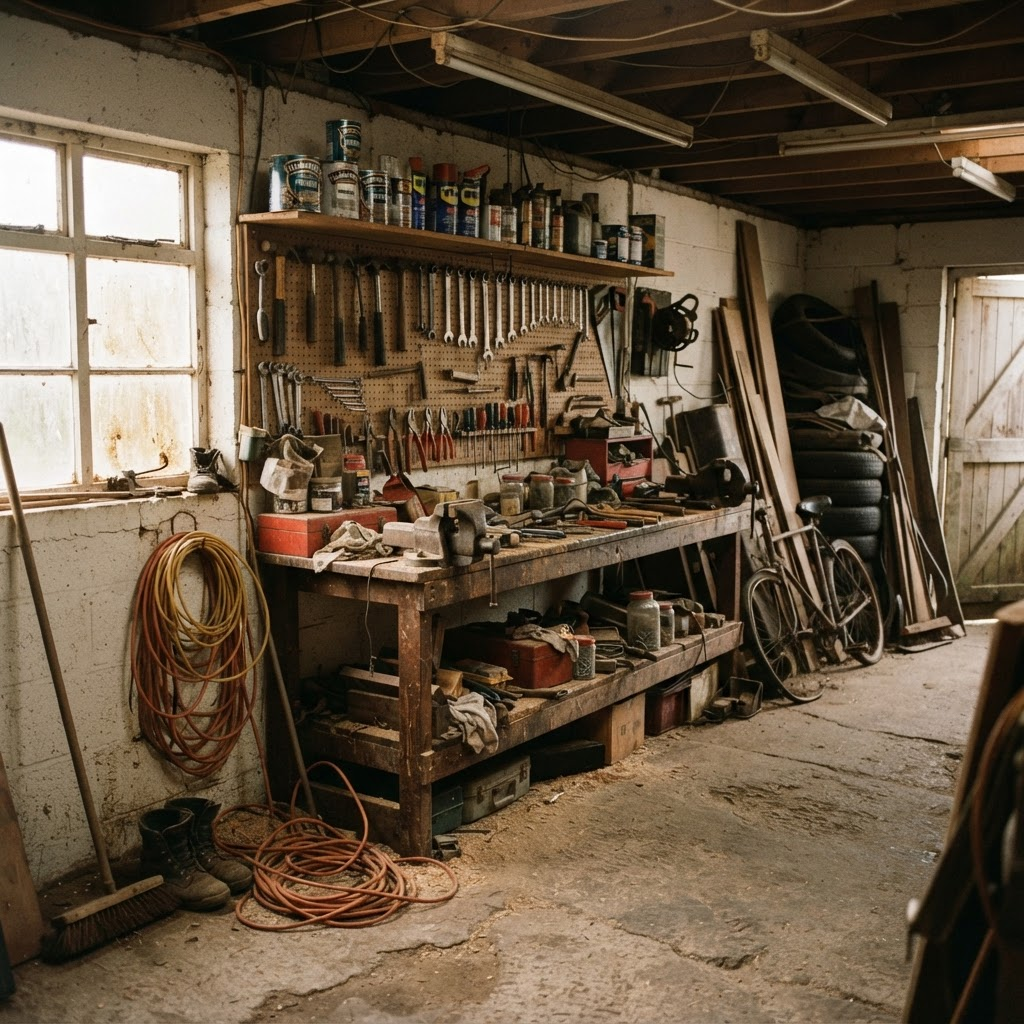
A garage workshop bench with a vise, hand tools on a pegboard and real clutter
Screwdriving and fastening are captured bench-side, where the operator controls lighting, clutter and tool layout rather than relying on incidental footage.

Requirements

What does screwdriving and fastening data need?

01

A named list of fastening tasks

Driving a screw to seat, torquing a bolt to spec, ratcheting a socket onto a nut, and running a screw sequence over several fasteners are different motions. A spec names each one rather than relying on one generic fastening label.

02

The tool, the fastener and the joint in frame

A head-mounted view keeps the driver or wrench, the fastener and the joint in sight from approach to seat, so the video shows what the operator could see when each adjustment of grip or angle was made.

03

Hand pose through the grip, the drive and the tool hand-off

3D hand pose with a visibility flag per joint carries the handling detail that RGB video alone cannot resolve, including a hand swapping bits, holding a workpiece steady, or passing a driver between hands.

04

Step boundaries on one clock

Contact events and frame-accurate action segments mark where a tool engages a fastener, where it is driven and where it is released, aligned to video and depth on one hardware clock.

05

Rights you can ship on

A perpetual, buyer-owned commercial license backed by a documented consent chain, so a policy trained on the data can go into a product.

Why it matters

Why train robots on first-person fastening video?

Fastening is a short, repeated motion with real variation: the angle of approach, how hard the grip is, how a bit seats, and whether a joint takes one pass or several. The task catalog states this work directly. Its Precision Assembly Bench row, Screw-fasten housing, reads: "Fasten a housing with a driver to torque." A neighboring row, Torque to spec, reads: "Torque bolts with a torque wrench."

A first-person camera records that motion from the viewpoint a robot or an assistive system would act from, so the video shows what could be seen when the grip, the bit and the angle were chosen. Hand pose and contact events record the handling, and action segments mark where each step starts and ends. A manipulation policy can learn from this evidence without any robot being involved in the capture.

It helps to be exact about what the data is. It records a person driving screws and torquing fasteners: the grip, the tool and the order of steps. Torque, force, tactile and fastener-type labels are not stated on the site, so this page does not promise them.

Scope

How is screwdriving and fastening different from general assembly and tool use?

Assembly task data on this site covers fastening, measuring, press-fit and wire work at a bench, as one task family among four. Egocentric tool use data covers hand-tool handling more broadly, naming driver and bit selection, clamp-and-align, measuring, fastening and tool hand-off as five of its skills. Both pages treat fastening as one entry in a longer list.

This page takes the opposite framing: fastening and screwdriving are the subject, drawn from the same catalog rows those pages already reference, with the driving, torquing and seating motion as the organising unit rather than one line in a broader skill list.

Pick-and-place data covers the reach-grasp-transport-place primitive that a tool hand-off is built from, and contact event data covers the general contact and grasp signal used across every Firsthand custom collection, including fastening episodes.

Tasks

Which screwdriving and fastening tasks can be captured?

The task catalog lists rows that name driving, torquing or tightening a fastener directly. On a Precision Assembly Bench, Screw-fasten housing fastens a housing with a driver to torque, Torque to spec torques bolts with a torque wrench, and Busbar + limit-block + screws places a busbar and limit block, drives the screw sequence, then removes the block. In Electronics Manufacturing & E-Waste, Device manufacturing assembles device housings, fits boards and cables, fastens screws and tests the unit. On a Plastic & Light-Assembly Manufacturer line, one row assembles and fastens plastic components using electric screwdrivers and assembly jigs.

On a Trades Workshop Bench, Drive screws with driver drives screws with a power driver, Tighten bolt with wrench fits a wrench and tightens a bolt to snug, Ratchet socket on nut uses a socket ratchet on nuts, and Hang a fixture levels, marks and screw-mounts a fixture. In a Data Center & IT Hardware Bench, Screw-mount rack rails fastens rail brackets with a driver. In an Auto Service Center & Tire Shop, one row removes, replaces and torques brake pads and rotors using a socket set and a torque wrench.

The catalog rates most of these rows Easy or Medium, with the busbar screw sequence and the brake rotor torque row rated Hard because of the sequencing and the stakes of the fastener. The first table below lists each row with its status.

Environments

Where are screwdriving and fastening tasks captured?

The catalog places these rows across six environments: Precision Assembly Bench (electronics), Electronics Manufacturing & E-Waste, Plastic & Light-Assembly Manufacturer, Trades Workshop Bench, Data Center & IT Hardware Bench, and Auto Service Center & Tire Shop. These are the environment types the catalog names, not a specific named site.

Every task row carries a status that says how soon capture can begin. Most of the rows above carry Available on request, meaning the work is scoped and recruited to spec when a buyer asks for it. The brake pad and rotor torque row carries Active collection, and the plastic-assembly fastening row carries Ready to deploy.

The site does not say that any fastening capture takes place inside a particular factory, shop or client facility, and this page does not claim it. No tool brand or manufacturer is named for any row.

The spec

What does a fastening spec need to name?

The written spec is the contract, so it is worth being specific about the parts of fastening the site leaves to the buyer. Name the fastener and tool in scope at the level your policy needs, because the site does not label fastener type, thread or outcome by default, and name the tool: hand driver, power driver, wrench or torque wrench.

Name the sequence that matters, such as a single screw to seat, a multi-fastener pattern like the busbar sequence, or torquing to a spec value. Name whether cross-threads, dropped fasteners and slipped grips should be captured alongside clean takes.

Name the start state and the end state, and what counts as a finished episode: one fastener driven, a full fastener pattern completed, or a part fully assembled. Finally, name the capture mode: a head-mounted view of the task, or a staged set with handheld grippers for demonstrations that must map onto a robot end effector.

Capture setup

What does the capture rig record during a fastening task?

The catalog names two capture modes, and each row above uses one of them. In the first, a head-mounted phone records the first-person view of the task, and a multiview rig adds synchronized third-person angles when the spec asks for them; this mode covers the device manufacturing, plastic-assembly and brake-rotor rows. In the second, a staged working set is recorded by a multiview rig while the operator performs the task with handheld grippers, so demonstrations map onto a robot end effector; this mode covers the Precision Assembly Bench and Trades Workshop Bench rows. The second table below shows which rows use which mode.

A head-mounted camera keeps the tool, the fastener and the joint in frame from the viewpoint a fastening policy will act from, with a wrist RGB stream alongside it for close-range detail. Depth, 3D hand pose, contact events and action segments are aligned to video on one hardware clock, synced under 2 ms. Distance-invalid pixels beyond the reliable depth range are flagged rather than interpolated.

The site does not state a camera count, resolution, frame rate or lighting setup specific to fastening, so those are agreed in the written spec rather than assumed. It also does not describe how depth behaves on small screw heads, recessed fasteners or reflective driver bits, so raise that in the spec and test it in a Spec Pilot.

Streams and labels

Which labels can be delivered with a fastening episode?

Each episode follows the same episode schema used across Firsthand custom collections: ten streams synced under 2 ms, with head and wrist RGB, depth, 3D hand pose with per-joint visibility, contact and grasp events, and frame-accurate action segments. The warehouse and object rearrangement pages also list instance segmentation or masks among their outputs.

For fastening, hand pose tracks the operator through the grip, the drive and any tool hand-off, contact events mark when fingers or a tool make and break contact with a fastener or workpiece, and action segments mark the start and end of each step, such as engage, drive and release. Because the labels share one clock with the video and depth, a step boundary lines up with the exact frame where it happens.

Object and fastener labels use the terms your spec sets, so they follow the vocabulary your training stack expects rather than a generic taxonomy.

Hard cases

Are cross-threads and dropped fasteners captured?

On the site stated terms for manipulation failures, yes: cross-threads, dropped fasteners or tools, slipped grips, and misalignment are captured and action-segmented alongside clean takes rather than discarded, because a policy that only sees successful fastening has no model of recovery. That statement comes from the tool use page, which names cross-threads and dropped fasteners directly.

Failure and recovery episodes are labeled against the same accept criteria as clean takes, so they count toward validated hours rather than being treated as waste.

Not stated

Which fastening labels are not stated?

Torque, force and tactile data are not stated as delivered streams anywhere on the site. Several rows name torquing to a value or to spec, but the site does not describe a torque-wrench or load-cell reading as a delivered field. Fastener-type, thread and outcome labels, such as whether a joint was over-torqued or cross-threaded as a tagged result, are also not stated.

Screw or fastener counts, cycle time, and an items-per-minute or throughput figure are not stated for this task family. If your policy needs any of these, they are defined in the written spec as annotation depth, and the quote covers them before capture begins.

Privacy

How are consent and anonymization handled for fastening tasks?

Every episode links to a signed contributor release through a documented consent chain, and the consent record is part of the delivery. Contributors are the people who perform the fastening tasks, so their release covers the footage of their hands and workspace.

Faces, plates and screens are detected and irreversibly blurred at ingest, and a reviewer confirms the result before anything ships. The anonymization record is delivered with the data. The site does not describe a separate release for bystanders who are not contributors, so who else may be in frame is agreed in the spec before capture rather than assumed afterward.

Formats

What formats and delivery options are available?

Delivery formats are RLDS, LeRobot and WebDataset, plus HDF5, zarr and Rerun .rrd. The first three are the training-loader formats; HDF5 and zarr carry arrays for custom pipelines, and Rerun .rrd gives a multi-stream synchronized playback file for review, which suits visually checking a fastening episode before writing a loader.

Converter source is readable, so you can retarget the schema to your own loader, and the episode schema page lists the fields.

Scoping

How do you scope a custom fastening data collection?

You describe the fasteners, tools and sequence your policy needs. We turn that into a written spec covering tasks, environments, capture tier, annotation depth and accept criteria, then quote reach, timeline and price against that document before any capture begins.

The collection runs through the same seven-stage end-to-end custom collection pipeline as every Firsthand program: contributor recruiting, capture, per-batch QA, anonymization and licensed delivery. Rejected items are recaptured at our cost.

Fast · on demand

How fast can a fastening collection start?

Where coverage is already deep, the first validated batch lands in a median of 48 hours from signed spec. Thin environments typically take three to four weeks, because vetting operators there is the bottleneck, and we quote that timeline up front. The quote tells you which case you are in.

On-demand top-ups run against the same spec and accept criteria after each training run, so new fastening data stays consistent with what you already hold. A Spec Pilot, a small and fast first batch, can prove the spec before you scale volume.

Rights

How is fastening data licensed?

Every custom collection ships under a perpetual, buyer-owned commercial license, and exclusivity is available so the data is never resold. The license is documented alongside the consent chain, so a policy trained on the data can go into a product.

At a glance

What you get.

Every collection runs through the same seven-stage end-to-end custom collection pipeline. End-to-end custom data collection is a managed service that takes an AI data need from problem to owned dataset in a single accountable pipeline.

Task families

Which screwdriving and fastening tasks are in the catalog?

Screwdriving and fastening task rows from the task catalog, with the catalog description, environment and status as listed.
Task familyCatalog task and descriptionEnvironmentStatus
Screw-fasten housingScrew-fasten housing: fasten a housing with a driver to torquePrecision Assembly Bench (electronics)Available on request
Torque to specTorque to spec: torque bolts with a torque wrenchPrecision Assembly Bench (electronics)Available on request
Multi-fastener sequenceBusbar + limit-block + screws: place a busbar and limit block, drive the screw sequence, then remove the blockPrecision Assembly Bench (electronics)Available on request
Device fasteningDevice manufacturing: assemble device housings, fit boards and cables, fasten screws and test the unitElectronics Manufacturing & E-WasteAvailable on request
Powered-driver fasteningAssemble and fasten plastic components using electric screwdrivers and assembly jigsPlastic & Light-Assembly ManufacturerReady to deploy
Drive screwsDrive screws with driver: drive screws with a power driverTrades Workshop BenchAvailable on request
Tighten with wrenchTighten bolt with wrench: fit a wrench and tighten a bolt to snugTrades Workshop BenchAvailable on request
Ratchet socketRatchet socket on nut: use a socket ratchet on nutsTrades Workshop BenchAvailable on request
Fixture mountingHang a fixture: level, mark, and screw-mount a fixtureTrades Workshop BenchAvailable on request
Rack hardware fasteningScrew-mount rack rails: fasten rail brackets with a driverData Center & IT Hardware BenchAvailable on request
Torque to spec, automotiveRemove, replace, and torque brake pads and rotors using a socket set and a torque wrenchAuto Service Center & Tire ShopActive collection

Capture setup

How is a screwdriving or fastening task recorded?

The two capture modes named in the task catalog, what each records, and which fastening rows use each one.
Capture modeWhat it recordsRows that use it
Phone (head-mounted) / multiview rigA head-mounted phone records the first-person view of the task, and a multiview rig adds synchronized third-person angles when the spec asks for them.Device manufacturing, plastic-component fastening, brake pad and rotor torque
Multiview rig + handheld grippersA staged working set is recorded by a multiview rig while the operator performs the task with handheld grippers, so demonstrations map onto a robot end effector.Screw-fasten housing, Torque to spec, Busbar + limit-block + screws, Drive screws with driver, Tighten bolt with wrench, Ratchet socket on nut, Hang a fixture, Screw-mount rack rails

Streams and labels

What does each episode carry, and what is not stated?

Streams and labels the site states for Firsthand custom collections, and fastening-specific labels the site does not state.
ItemStatus on this siteWhy it matters for fastening
Head RGBStatedThe view the operator actually sees, including the tool, the fastener and the joint
Wrist RGBStatedClose-range detail of the hand gripping and driving the tool
DepthStated; distance-invalid pixels flagged, not interpolatedShape and distance of the tool, the fastener and the workpiece
3D hand pose with per-joint visibilityStatedHow a hand grips, drives and hands off a tool, with occlusion flagged
Contact and grasp eventsStatedWhen a hand or tool makes and breaks contact with a fastener or workpiece
Action segmentsStated; frame-accurateBoundaries between engaging, driving and releasing a fastener
Instance segmentation or masksStated on the warehouse and object rearrangement pagesSeparates the tool and fastener from the workpiece and background
Time syncStated; ten streams synced under 2 msKeeps labels on the same frame as the video and depth
Cross-threads, dropped fasteners, slipped gripsStated as captured and action-segmented, not discardedGives a policy examples of recovery
Torque, force or load-cell dataNot statedSeveral rows name torquing to a value; no torque reading is described as delivered
Fastener-type, thread or outcome labelsNot statedSet in the spec if your policy needs them
Fastener or screw counts, cycle time, throughputNot statedThe site gives no count or rate figure for fastening
Camera count, resolution, frame rate, lighting for fasteningNot statedAgreed in the written spec rather than assumed

Formats

Which formats carry fastening data?

Delivery formats stated on the site and what each is used for.
FormatUsed for
RLDSTraining loader; TFDS-compatible tfrecord shards
LeRobotTraining loader; parquet plus mp4
WebDatasetTraining loader; tar shards for streaming
HDF5 and zarrArrays for custom pipelines; one group per episode
Rerun .rrdOne recording per episode with every stream on one timeline; for inspection and debugging, not training

Related pages

How is this page different from assembly and tool use pages?

Related pages on this site and how their focus differs.
PageFocus
Egocentric screwdriving and fastening video data (this page)Driving screws, torquing bolts and seating fasteners, across precision assembly, trades, data center and automotive rows
Assembly task dataFastening, measuring, press-fit and wire work at a bench, as one of four task families
Egocentric tool use dataHand-tool handling broadly: driver and bit selection, clamp-and-align, measuring, fastening and tool hand-off
Contact event dataThe general contact and grasp signal used across every Firsthand custom collection
Pick and place dataThe primitive of reach, grasp, transport and place, across many settings

FAQ

Screwdriving robot training data, answered.

What is egocentric screwdriving and fastening data?
It is real-world, first-person video of a person driving screws, torquing bolts and seating other fasteners with a hand tool or power driver. It is captured against a written spec with 3D hand pose, depth, contact events and action segments. Firsthand handles contributors, capture, QA, consent and delivery.
Which screwdriving and fastening tasks does the site state?
The catalog lists Screw-fasten housing, Torque to spec, Busbar + limit-block + screws, Device manufacturing, electric-screwdriver plastic-component fastening, Drive screws with driver, Tighten bolt with wrench, Ratchet socket on nut, Hang a fixture, Screw-mount rack rails, and torquing brake pads and rotors.
How is this different from assembly task data or tool use data?
Assembly task data and egocentric tool use data both list fastening as one skill among several. This page draws on the same catalog rows but treats screwdriving and fastening as the subject in its own right, organised around the driving, torquing and seating motion.
Does the data include torque, force or fastener-outcome labels?
Not stated. The site lists no torque, force, load-cell, fastener-type, thread or outcome label for this task family. If your policy needs them, they are defined in the written spec as annotation depth and covered in the quote before capture begins.
Is the data captured inside a factory or client facility?
The site does not say that fastening capture takes place inside a particular factory, shop or client facility, and this page does not claim it. No tool brand or manufacturer is named for any row.
Are cross-threads and dropped fasteners captured?
Yes. The tool use page states that cross-threads, dropped fasteners or tools, slipped grips and misalignment are captured and action-segmented alongside clean takes, rather than discarded, so a policy sees recovery as well as success.
Which formats is fastening data delivered in?
RLDS, LeRobot and WebDataset for training loaders, plus HDF5, zarr and Rerun .rrd. The same episodes can be exported into more than one format, and converter source is readable so you can retarget the schema to your own loader.
How fast can a collection start, and who owns the data?
Where coverage is deep, the first validated batch lands in a median of 48 hours from signed spec; thin environments typically take three to four weeks, and a Spec Pilot can prove the spec first. Every custom collection ships under a perpetual, buyer-owned commercial license.
Sources

Where are the delivery formats documented?

Request a custom dataset.

Tell us the fasteners, tools and sequence your policy needs to learn. We will quote reach, timeline, and price against a written spec, with a first validated batch in a median of 48 hours where coverage is deep.